



Skip to content
View in the app

A better way to browse. Learn more.

ZeiGames

A full-screen app on your home screen with push notifications, badges and more.

To install this app on iOS and iPadOS
  1. Tap the Share icon in Safari
  2. Scroll the menu and tap Add to Home Screen.
  3. Tap Add in the top-right corner.
To install this app on Android
  1. Tap the 3-dot menu (โ‹ฎ) in the top-right corner of the browser.
  2. Tap Add to Home screen or Install app.
  3. Confirm by tapping Install.

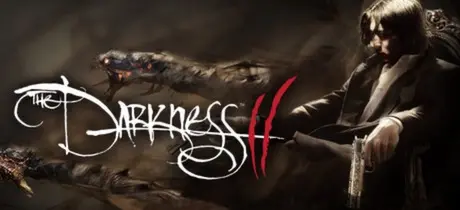
The Darkness II Free Download (Build 11598 + ALL DLC)
Featured Replies

header.webp

Game Details

Release Name:ย The Darkness II

Game Version:ย Build 11598

Release Date: 9 Feb, 2012

Publisher: 2K

Developer: Digital Extremes

Based On:ย CSF & PROPHET

The Darkness II Direct Download - Game Review

Inspired by the popular comic book series produced by Top Cow Productions, Inc., The Darkness II is an intense first person shooter that delivers a twisted and gripping narrative of tragedy, modern crime drama, and supernatural horror.

Players will be taken down the brutal and personal path of Jackie Estacado, head of a New York crime family and wielder of an ancient and ruthless force of chaos and destruction known as The Darkness.

Itโ€™s been two years since Jackie Estacado used The Darkness to kill the men responsible for his girlfriendโ€™s murder. Heโ€™s been unable to shake the memory of Jennyโ€™s death since bottling up his supernatural power and now The Darkness wants out. A sudden, unprovoked attack by a mysterious organization known as the Brotherhood heralds the start of a full-scale war and opens the door for The Darkness to reemerge, setting Jackie on a journey to hell and worse.

  • Quad-Wielding Chaos - Slash, grab, and throw objects and enemies with the Demon Arms while simultaneously firing two weapons, adding a new dimension to the FPS category.

  • Harness an Unstoppable Power - Master the Demon Arms and summon the powers of The Darkness for even more explosive gameplay.

  • Kill the Lights - The vicious powers of The Darkness manifest only in the shadows so use the environment to your advantage and watch out for enemies who will use light as a weapon.

  • Intense and Personal Journey - Experience a dark, twisted and gripping story written exclusively for the game by acclaimed comic book author Paul Jenkins whose credits also include The Incredible Hulk, Wolverine, and the original The Darkness game.

  • Distinctive Graphic-Noir Style - Graphic novel shading and color combined with the dramatic lighting of film noir pays tribute to the source material and brings the pages of the comic series to life. Inspired by the popular comic book series created by Top Cow.


Game Screenshots

screenshot screenshot screenshot screenshot


Game Trailer


System Requirements

Minimum Requirements

Recommended Requirements

OS

Windows XP/Vista/7

Windows XP/Vista/7

Processor

Intel Core 2 @ 2GHz / AMD Athlon 64 X2 4200+

2.4 GHz Quad Core processor

Memory

1.5GB RAM

2GB RAM

Graphics

256MB NVIDIA GeForce 8600 / ATI Radeon HD 2600

512+ MB NVIDIA GeForce 9800 GTX

DirectX

-

-

Storage

-

-


Installation Guide

  1. No Installation Needed: The game is pre-installed. Just download and extract.

  2. Extract: Right-click the .zip or .rar file and select "Extract Here" or "Extract to folder".

  3. Run: Find Darkness II.exe inside the folder and run it.

Game Data & Settings

  • Change Language: Move the langauge files on LANGUAGES folder to main game folder.

Important Notes

DLC List

Added DLCs

Darkness II Poster

Darkness II Comixology Code

Darkness II Pre-order

Darkness II DLC 3

Darkess II DLC 2

Darkness II DLC 1

๐Ÿ”ฅDOWNLOAD AREA๐Ÿ”ฅ

๐Ÿ”น8.18 GB๐Ÿ”น

Select the server you want to download with ZeiLink.

ALL Languages Included.

Download

  • Views 343
  • Created
  • Last Reply

Posted Images

Create an account or sign in to comment

Recently Browsing 0

  • No registered users viewing this page.

Account

Navigation

Search

Search

๐Ÿ”Ž Search Tip
For exact results, search using "game name" .
Without quotes, results may include unrelated titles.

Configure browser push notifications

Chrome (Android)
  1. Tap the lock icon next to the address bar.
  2. Tap Permissions โ†’ Notifications.
  3. Adjust your preference.
Chrome (Desktop)
  1. Click the padlock icon in the address bar.
  2. Select Site settings.
  3. Find Notifications and adjust your preference.
