



Skip to content
View in the app

A better way to browse. Learn more.

ZeiGames

A full-screen app on your home screen with push notifications, badges and more.

To install this app on iOS and iPadOS
  1. Tap the Share icon in Safari
  2. Scroll the menu and tap Add to Home Screen.
  3. Tap Add in the top-right corner.
To install this app on Android
  1. Tap the 3-dot menu (⋮) in the top-right corner of the browser.
  2. Tap Add to Home screen or Install app.
  3. Confirm by tapping Install.

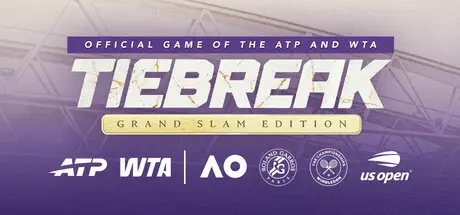
TIEBREAK – GRAND SLAM EDITION Free Download (v1.0.6430 + ALL DLC)
Featured Replies

header.webp

Game Details

Release Name: TIEBREAK – GRAND SLAM EDITION

Game Version: v1.0.6430 | Build 23996690

Release Date: 22 Aug, 2024

Publisher: Nacon

Developer: Big Ant Studios

Based On: CSF & RUNE

TIEBREAK – GRAND SLAM EDITION Direct Download - Game Review

TIEBREAK – GRAND SLAM EDITION is the most lifelike tennis simulation ever released, showcasing the essence of gameplay on court and the challenge of managing a career through an entire season of 100 official tournaments against 150+ officially licensed pros. Now including the four Grand Slam events alongside the complete ATP and WTA tours, as well as team events United Cup and Laver Cup. Feel the power of the racquet in the palms of your hand – there really hasn’t been a tennis experience like TIEBREAK – GRAND SLAM EDITION!

An unprecedented roster of professional men’s and women’s players, featuring immortal stars such as Novak Djokovic, Aryna Sabalenka, Roger Federer, Maria Sharapova, Rafael Nadal, and Caroline Wozniacki. Play a tournament on the men’s circuit against Jannik Sinner, Carlos Alcaraz, Alexander Zverev, Daniil Medvedev, Felix Auger-Aliassime , Ben Shelton, Taylor Fritz, Lorenzo Musetti, Nick Kyrgios and Stefanos Tsitsipas. Face off with the likes of Iga Swiatek, Coco Gauff, Elena Rybakina, Mirra Andreeva, Amanda Anisimova, Emma Raducanu, Jasmine Paolini, Elina Svitolina, Jessica Pegula or Naomi Osaka on the women’s circuit. Each of these legendary players has been studied with minute detail to reproduce their signature techniques and strategies, attacking and defending with their own unique playing style.

There is no challenge like the official ATP and WTA tours to test your abilities, and TIEBREAK – GRAND SLAM EDITION allows you to follow the authentic schedule across multiple years. Embody an official player or create your own. Play on all of the Grand Slam courts. Represent your country in the United Cup and Laver Cup. Sign up to compete in the Masters 1000 and the WTA 1000 tournaments. Carefully plan your schedule of ATP/WTA 500 and 250 tournaments to improve your skills and bolster your ranking, as you will need to be ranked in the top 8 in order to qualify for the ATP Final or WTA Final; the crowning jewels of the season.


Game Screenshots

screenshot screenshot screenshot screenshot


Game Trailer


System Requirements

Minimum Requirements

Recommended Requirements

OS

Windows 10 or Windows 11

Windows 10 or Windows 11

Processor

Intel i3 2100 (3.1GHz) / AMD FX 6300 (3.5Ghz)

Intel i5 6600k (3.5GHz) / AMD Ryzen 5 1600X (3.6Ghz)

Memory

8 GB RAM

16 GB RAM

Graphics

NVIDIA GeForce GTX770 (4 GB) / AMD Radeon R9 270 (4 GB)

NVIDIA GeForce GTX1660 Ti (6 GB) / AMD RX 5700XT (8 GB)

DirectX

Version 12

Version 12

Storage

50 GB available space

50 GB available space


Installation Guide

  1. No Installation Needed: The game is pre-installed. Just download and extract.

  2. Extract: Right-click the .zip or .rar file and select "Extract Here" or "Extract to folder".

  3. Run: Find tennis23.exe inside the folder and run it.

Game Data & Settings

  • Change Language: Edit the file located at steam_EMU.ini

  • Save Data Location: %USERPROFILE%/Saved Games/TieBreak

Important Notes

DLC List

Added DLCs

TIEBREAK - Djokovic Challenges Pack

TIEBREAK - Vintage Pack

TIEBREAK - Yonex Equipment Pack

🔥DOWNLOAD AREA🔥

🔹53.95 GB🔹

Select the server you want to download with ZeiLink.

Download

  • Views 484
  • Created
  • Last Reply

Posted Images

Create an account or sign in to comment

Recently Browsing 0

  • No registered users viewing this page.

Account

Navigation

Search

Search

🔎 Search Tip
For exact results, search using "game name" .
Without quotes, results may include unrelated titles.

Configure browser push notifications

Chrome (Android)
  1. Tap the lock icon next to the address bar.
  2. Tap Permissions → Notifications.
  3. Adjust your preference.
Chrome (Desktop)
  1. Click the padlock icon in the address bar.
  2. Select Site settings.
  3. Find Notifications and adjust your preference.
