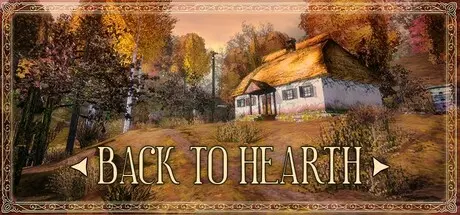
June 30Jun 30 Back to Hearth Game DetailsRelease Name: Back to HearthGame Version: Build 21120371Release Date: 25 Sep, 2025Publisher: Marevo CollectiveDeveloper: Podoba InteractiveBased On: CSF & GoldbergBack to Hearth Direct Download - Game OverviewThe Calamity devastated this small village, stripping it of laughter, voices, and life. You play as a character determined to repair the damage, clean up the homes, and rekindle their hearths — creating comfort so the villagers are no longer afraid to return.The village has 5 houses. Each one needs to be restored — sometimes with a hammer, sometimes with a broom or a screwdriver. Some repairs also require drawing special "gestures".Once the house is cleaned and the fire is burning in the stove, you have to wait a little. The residents are about to return. You will have the opportunity to listen to their stories.Back to Hearth is a game about more than just cleaning houses — it’s about uncovering the lives once lived within them. Each home holds memories, belongings, amulets, and other details that gradually reveal the villagers’ stories. Some of these items are added to your Collections after interaction, which you can view anytime in the main menu.short game - 1 hour of playtimemelancholic fall atmospheresetting of an Eastern European village, specifically a Ukrainian villagecasual meditative gameplayopportunity to eat apples, grapes, and raspberriesopportunity to chase after chickenspersonal and household items that allow you to learn more about the residentscollections (search in the main menu)graphic stylization, like in games of the 2000sBack to Hearth Screenshots Back to Hearth TrailerBack to Hearth System Requirements Minimum RequirementsRecommended Requirements OSWindows 10/11Windows 10/11 ProcessorIntel Core i3Intel Core i5 Memory8 GB RAM16 GB RAM GraphicsNVIDIA GeForce GTX 650NVIDIA GeForce GTX 1060 DirectX-- Storage1 GB available space1 GB available space How to Install Back to HearthNo Installation Needed: The game is pre-installed. Just download and extract.Extract: Right-click the .zip or .rar file and select "Extract Here" or "Extract to folder".Run: Find Back to Hearth.exe inside the folder and run it.Game Data & SettingsChange Language: Edit the file located at steam_settings/Configs.user.iniImportant NotesTo support the Game Developer, Get It On Steam.🔥DOWNLOAD AREA🔥🔹279 MB🔹Select the server you want to download with ZeiLink.Download





Create an account or sign in to comment