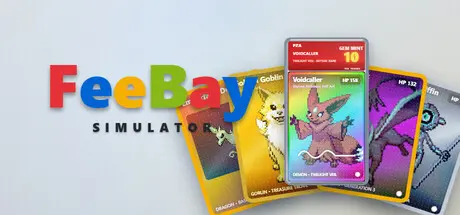
June 25Jun 25 FeeBay Simulator Game DetailsRelease Name: FeeBay SimulatorGame Version: v0.2.11 | Build 23958514Release Date: 12 Jun, 2026Publisher: Lake Country GamesDeveloper: Lake Country GamesBased On: CSF & GoldbergFeeBay Simulator Direct Download - Game OverviewYou have $500, a folding table, and a dangerous amount of confidence. Welcome to the resale grind.FeeBay Simulator is a cozy card-flipping tycoon game about buying low, selling high, and slowly developing strong opinions about cardboard. Hunt for underpriced gems across a parody of online marketplaces, send your best pulls off to be graded, crack open mystery lots, and build a reselling empire one extremely suspicious listing at a time.Every card in the *Mythic Monsters* universe has a true value and a seller who may or may not know it. Scroll a living marketplace feed where a clueless uncle prices a holo at pocket change, a hype merchant swears his common is "investment grade" and a scammer's "100% authentic" card is anything but. Read between the lines, check the centering, watch the fake risk, and snipe the deals before the Deal Bot crowd does.Seven marketplaces unlock as your reputation grows from the everyday FeeBay feed to the goblin-run auction floor and the curated, wildly overpriced VaultDealer.- A living parody marketplace - funny, sad, scammy, and serious sellers, every listing different- 1258 collectible cards across themed sets, in normal / reverse holo / holo and 1st Edition finishes- Three grading companies with manual slab-cracking reveals and gem-pull confetti- Mystery lots, binders, and abandoned storage units to crack open- A goblin-run auction house with bidding and auto-snipe- Build and price your own storefront with probabilistic buyers and a withdrawal wallet- A live market of trends, events, and conventions that move real prices- Business levels, dozens of upgrades, hired help, and achievements to chase- Card centering, condition grades, and fakes — quality actually matters- A custom-built, fully themed desktop experienceFeeBay Simulator Screenshots FeeBay Simulator System Requirements Minimum RequirementsRecommended Requirements OSWindows 7 (SP1+) or higherRequires a 64-bit processor and operating system ProcessorIntel Core i3 or better- Memory500 MB RAM- GraphicsN/A- DirectX-- Storage250 MB available space400 MB available space How to Install FeeBay SimulatorNo Installation Needed: The game is pre-installed. Just download and extract.Extract: Right-click the .zip or .rar file and select "Extract Here" or "Extract to folder".Run: Find FeeBay.exe inside the folder and run it.Game Data & SettingsChange Language: Edit the file located at steam_settings/Configs.user.iniImportant NotesTo support the Game Developer, Get It On Steam.🔥DOWNLOAD AREA🔥🔹121 MB🔹Select the server you want to download with ZeiLink.Download





Create an account or sign in to comment