



Skip to content
View in the app

A better way to browse. Learn more.

ZeiGames

A full-screen app on your home screen with push notifications, badges and more.

To install this app on iOS and iPadOS
  1. Tap the Share icon in Safari
  2. Scroll the menu and tap Add to Home Screen.
  3. Tap Add in the top-right corner.
To install this app on Android
  1. Tap the 3-dot menu (โ‹ฎ) in the top-right corner of the browser.
  2. Tap Add to Home screen or Install app.
  3. Confirm by tapping Install.

Moldwasher Free Download (v1.0.0.4 + Stickers + Sushi Recipe DLC)
Featured Replies

header.webp

Game Details

Release Name:ย Moldwasher

Game Version:ย v1.0.0.4 | Build 23855970

Release Date: 23 Jun, 2026

Publisher: Anshar Publishing

Developer: Rubel Games

Based On:ย CSF & Goldberg

Moldwasher Direct Download - Game Review

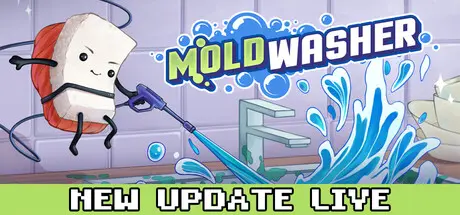
Open the door to a long-forgotten fridge and become a true sanitation hero! In this chilli mold-cleaning arcade, you control a guy (nigiri?!) with a pressure stream to clean off mold that has taken over food, shelves, drawers and even the freezer.

  • Pressure-Powered Gameplay -ย Aim, spray, and switch cleaning modes. Blast away different types of dirt while getting a huge sense of satisfaction from cleaning. Let's be honest, it's the only kitchen you'll ever get sparkling clean.

  • Choose the Best Tool โ€“ Wield a pressure washer, leaf blower, flamethrower, pickaxe, and more to tackle stubborn grime across the kitchen. Adapt your approach (full berserk is okay too) and level up each tool to boost your skills and make your gear even more powerful!

  • Varied Locations -ย Every corner of the kitchen โ€” from the shelf in the fridge, to those odd boxes, the forgotten nooks behind the freezer, or the kitchen countertop - every corner hides something to scrub. Make your kitchen shine and peek behind jars in the fridge โ€” you never know what you can find there!

  • Strange & Sticky Foes -ย How gross is it to talk about different kinds of dirt? Just clean it up, pls.

  • Adorable Food Heroย -ย  You're the Nigiri. Cute sushi on a mission to clean everything!

  • Progression & Unlocks โ€“ Earn new audio tracks, and cosmetic items to personalize your basement.ย Cash in your points for shinier and stronger gear at the storeโ€”because clean heroes deserves style.

  • Lo-Fi Beatsย -ย A chill lo-fi tracks and satisfying cleaning sounds make every spray extremely calming.


Game Screenshots

screenshot screenshot screenshot screenshot


Game Trailer


System Requirements

Minimum Requirements

Recommended Requirements

OS

Windows 10

Windows 10

Processor

Intel Core 2 Duo E4500 @ 2.2GHz or AMD Athlon 64 X2 5600+ @ 2.8 GHz

Intel Core i5 2300 or AMD FX6120

Memory

2 GB RAM

2 GB RAM

Graphics

GeForce 240 GT or Radeon HD 6570 โ€“ 1024 MB

GeForce GTX 550 Ti or Radeon HD 6770

DirectX

Version 9.0c

Version 11

Storage

512 MB available space

512 MB available space


Installation Guide

  1. No Installation Needed: The game is pre-installed. Just download and extract.

  2. Extract: Right-click the .zip or .rar file and select "Extract Here" or "Extract to folder".

  3. Run: Find Moldwasher.exe inside the folder and run it.

Game Data & Settings

  • Change Language: Edit the file located at steam_settings/Configs.user.ini

  • Save Data Location: %USERPROFILE%/AppData/LocalLow/RubelGames

Important Notes

DLC List

Added DLCs

Moldwasher - Stickers + Sushi Recipe

๐Ÿ”ฅDOWNLOAD AREA๐Ÿ”ฅ

๐Ÿ”น243 MB๐Ÿ”น

Select the server you want to download with ZeiLink.

Download

  • Views 590
  • Created
  • Last Reply

Posted Images

Create an account or sign in to comment

Recently Browsing 0

  • No registered users viewing this page.

Account

Navigation

Search

Search

๐Ÿ”Ž Search Tip
For exact results, search using "game name" .
Without quotes, results may include unrelated titles.

Configure browser push notifications

Chrome (Android)
  1. Tap the lock icon next to the address bar.
  2. Tap Permissions โ†’ Notifications.
  3. Adjust your preference.
Chrome (Desktop)
  1. Click the padlock icon in the address bar.
  2. Select Site settings.
  3. Find Notifications and adjust your preference.
