



Skip to content
View in the app

A better way to browse. Learn more.

ZeiGames

A full-screen app on your home screen with push notifications, badges and more.

To install this app on iOS and iPadOS
  1. Tap the Share icon in Safari
  2. Scroll the menu and tap Add to Home Screen.
  3. Tap Add in the top-right corner.
To install this app on Android
  1. Tap the 3-dot menu (โ‹ฎ) in the top-right corner of the browser.
  2. Tap Add to Home screen or Install app.
  3. Confirm by tapping Install.

The Backrooms: Rescue Expedition Free Download (Build 22508951 + Online)
Featured Replies

header.webp

Game Details

Release Name:ย The Backrooms: Rescue Expedition

Game Version:ย Build 22508951

Release Date: 20 Oct, 2025

Publisher: {CRYTIME}

Developer: {CRYTIME}

Based On:ย CSF & Goldberg

The Backrooms: Rescue Expedition Direct Download - Game Review

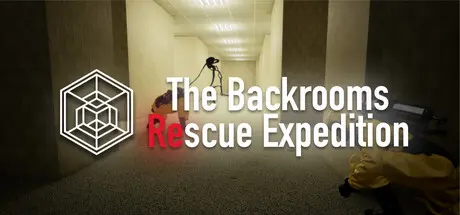
The Backrooms: Rescue Expedition is a new game about liminal spaces.

You and your team are tasked with saving the lives of the missing expedition unit, Echo-7 North. Ruthless entities and the madness of infinite halls create an atmosphere of relentless terror. Nevertheless, bringing the equipment and rescuing the lost research group is your main objective.ย 

This mission will be challenging, and how you will face that is completely up to you. You can go to the backrooms alone, or you can go through them in a team of 2, 3 or 4 players. Coop is never forced, but working together can be very rewarding. Regardless of the number of players on your team, the game will present you with the same level of difficulty.

You can use proximity voice chat to communicate with your teammates. Don't wander too far away from your team or you might find yourself lost in the endless confusion of the backrooms. In addition, Entities can hear you, so keep quiet whenever you are near any danger.


Game Screenshots

screenshot screenshot screenshot screenshot


Game Trailer


System Requirements

Minimum Requirements

Recommended Requirements

OS

Windows 10

Windows 10

Processor

AMD Ryzen 5 1600X / Intel Core i5-4430

AMD Ryzen 7 5700 / Intel Core i5-12600KF

Memory

16 GB RAM

16 GB RAM

Graphics

Radeon RX 5700 / Nvidia GeForce RTX 2060

Nvidia GeForce RTX 3060 / Radeon RX 6600 XT

DirectX

Version 12

Version 12

Storage

25 GB available space

25 GB available space


Installation Guide

  1. No Installation Needed: The game is pre-installed. Just download and extract.

  2. Extract: Right-click the .zip or .rar file and select "Extract Here" or "Extract to folder".

  3. Run: Find RescueExpedition.exe inside the folder and run it.

Multiplayer & Online (Optional)

  • Play Online: Download the Online Fix file and apply it to the game folder.

  • Please go to the online fix page and read the guide.

Game Data & Settings

  • Change Language: Edit the file located at steam_settings/Configs.user.ini

Important Notes

๐Ÿ”ฅDOWNLOAD AREA๐Ÿ”ฅ

๐Ÿ”น7.83 GB๐Ÿ”น

Select the server you want to download with ZeiLink.

Download

Online Fix - (RAR pass: rexagames.com)

  • Views 535
  • Created
  • Last Reply

Posted Images

Create an account or sign in to comment

Recently Browsing 0

  • No registered users viewing this page.

Account

Navigation

Search

Search

๐Ÿ”Ž Search Tip
For exact results, search using "game name" .
Without quotes, results may include unrelated titles.

Configure browser push notifications

Chrome (Android)
  1. Tap the lock icon next to the address bar.
  2. Tap Permissions โ†’ Notifications.
  3. Adjust your preference.
Chrome (Desktop)
  1. Click the padlock icon in the address bar.
  2. Select Site settings.
  3. Find Notifications and adjust your preference.
