



Skip to content
View in the app

A better way to browse. Learn more.

ZeiGames

A full-screen app on your home screen with push notifications, badges and more.

To install this app on iOS and iPadOS
  1. Tap the Share icon in Safari
  2. Scroll the menu and tap Add to Home Screen.
  3. Tap Add in the top-right corner.
To install this app on Android
  1. Tap the 3-dot menu (โ‹ฎ) in the top-right corner of the browser.
  2. Tap Add to Home screen or Install app.
  3. Confirm by tapping Install.

STARSEEKER: Astroneer Expeditions Free Download (v1.0.6.0 + Online)
Featured Replies

header.webp

Game Details

Release Name:ย STARSEEKER: Astroneer Expeditions

Game Version:ย v1.0.6.0 | Build 23519016

Release Date: 11 Jun, 2026

Publisher: Devolver Digital

Developer: System Era Softworks

Based On:ย OFME

STARSEEKER: Astroneer Expeditions Direct Download - Game Review

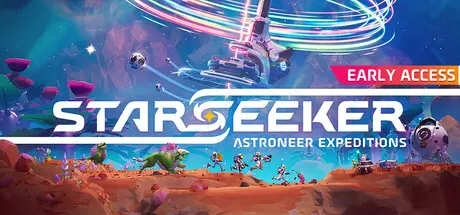
STARSEEKER: Astroneer Expeditions is a new multiplayer game set within the Astroneer universe with a focus on discovery, online cooperative play, and camaraderie. Exploring deep space on the ESS Starseeker, players will need to work together with the crew of the space station to complete objectives that will take them further into the unknown Regions of each planet. Plan and deploy on timed Expeditions to gather resources, complete missions, and further the goals of you, your Squad, and the entire station.

The ESS Starseeker orbits unknown planets in the hopes of discovering the mysteries within. The Starseeker crew works together to venture deeper, unlocking new Landing Sites in a collective effort that will take players to new Regions, unique biomes with their own specific gameplay. Planet Tephra is the first stop, a world of sprawling wetlands, dense jungles, and vast oceans, covered in the wreckage of an ill-fated EXO Dynamics voyage.

Every planet is filled with a variety of encounters! Interesting and dangerous creatures, hazardous flora, and mysterious forces await the crew. Work together with your squad to complete missions that can be solved in a variety of ways but always requiring you to think on your feet. Then take the spoils back up to the station to craft more advanced gear to take on even more dangerous missions.

The ESS Starseeker is the heart of the crew, an ever-evolving space station where players get together to plan Expeditions, upgrade their gear, and hang out with other players. Complete missions given by the Fronteer Force, the cast of elite Explorers who command the ESS Starseeker. Get to know the characters, learn about the lore, and unravel the mystery of what's really going on out here in deep space...


Game Screenshots

screenshot screenshot screenshot screenshot


Game Trailer


System Requirements

Minimum Requirements

Recommended Requirements

OS

Windows 10

Windows 11

Processor

Intel Core i5-10700K / AMD Ryzen 7 3800X

Intel Core i5-12400F / AMD Ryzen 5 5600X

Memory

8 GB RAM

16 GB RAM

Graphics

Nvidia GeForce GTX 1070 Ti / AMD Radeon RX 5600

Nvidia GeForce RTX 3070 / AMD Radeon RX 6700 XT

DirectX

Version 12

Version 12

Storage

10 GB available space

10 GB available space


Installation Guide

  1. No Installation Needed: The game is pre-installed. Just download and extract.

  2. Extract: Right-click the .zip or .rar file and select "Extract Here" or "Extract to folder".

  3. Run the GDK_Helper.bat file located in the folder with the game (run once).

  4. Enable Developer Mode (restart the computer if necessary) (run once)

  5. Before enabling developer mode, read what it is on the internet.

  6. Install the game (run it once)

  7. Disable Developer Mode (run once)

  8. Launch the game via the start menu.

Important Notes

๐Ÿ”ฅDOWNLOAD AREA๐Ÿ”ฅ

๐Ÿ”น3.78 GB๐Ÿ”น

Select the server you want to download with ZeiLink.

Download

  • Views 944
  • Created
  • Last Reply

Posted Images

Create an account or sign in to comment

Recently Browsing 0

  • No registered users viewing this page.

Account

Navigation

Search

Search

๐Ÿ”Ž Search Tip
For exact results, search using "game name" .
Without quotes, results may include unrelated titles.

Configure browser push notifications

Chrome (Android)
  1. Tap the lock icon next to the address bar.
  2. Tap Permissions โ†’ Notifications.
  3. Adjust your preference.
Chrome (Desktop)
  1. Click the padlock icon in the address bar.
  2. Select Site settings.
  3. Find Notifications and adjust your preference.
