



Skip to content
View in the app

A better way to browse. Learn more.

ZeiGames

A full-screen app on your home screen with push notifications, badges and more.

To install this app on iOS and iPadOS
  1. Tap the Share icon in Safari
  2. Scroll the menu and tap Add to Home Screen.
  3. Tap Add in the top-right corner.
To install this app on Android
  1. Tap the 3-dot menu (โ‹ฎ) in the top-right corner of the browser.
  2. Tap Add to Home screen or Install app.
  3. Confirm by tapping Install.

Arms of God Free Download (Build 23622298+ Supporter Pack DLC)
Featured Replies

header.webp

Game Details

Release Name:ย Arms of God

Game Version:ย Build 23622298

Release Date: 8 Jun, 2026

Publisher: Dark Jay Studio, Galaktus

Developer: Dark Jay Studio

Based On:ย CSF & Goldberg

Arms of God Direct Download - Game Review

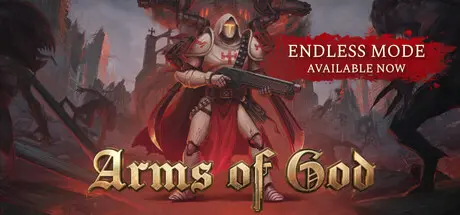
Gear up for a battle through hell in this roguelite Bullet Heaven Arena Autoshooter with Doom-inspired gore vibes, metal music, and a satisfying combat feel. Wield five weapons at once, upgrade and merge them to forge indestructible builds, and bring divine justice to a world on the brink of chaos.

Fire ranged and melee weapons simultaneously using up to 5 sacred 'arms'. As you face hordes of demons, you gain strength - sanctify your weapons and use mechanical arms to fulfill God's will upon the mortal realm and save it from the infernal conflagration.

In Arms of Godย every enemy type you encounter is a unique challenge. Each creature possesses distinct skills, attack patterns, and behaviors, making every battle a test of strategy and skill. Adapt your tactics, learn from each confrontation, and prove your mastery over the infernal legions.

Choose from 60 unique weapons - both ranged and melee - and learn ruthless ways to upgrade and merge several of them into a single monstrosity, creating builds so powerful they erase demon hordes and towering bosses back into the abyss. Mix weapons with upgrades to forge even more surprising combinations and uncover hidden synergies.

Begin your crusade by reclaiming the Order's headquarters - The Cathedral - from the clutches of demonic forces. Once liberated, this sacred bastion becomes your strategic hub for meta-progression. Hone your skills in the Training Ground to enhance your meta-stats, forge mighty weapons in the Armory, boost your in-game abilities in the Alchemy Chamber, and summon new valiant heroes from the Bell Tower.

Choose from among 10 different heroes, each with distinct abilities reshaping gameplay. Level up, evolve your character through meta-progression, and forge your path to the deepest abyss of hell, where you shall confront the ultimate infernal force. Fight through 60 handcrafted levels set across unique locations, each telling fragments of the story through the world itself - ruins, relics, and the scars of the apocalypse revealing the truth behind the fall of mankind.


Game Screenshots

screenshot screenshot screenshot screenshot


Game Trailer


System Requirements

Minimum Requirements

Recommended Requirements

OS

64-bit Windows 10/11

64-bit Windows 10/11

Processor

Intel Core i5-6600 (3.3Ghz) or AMD Ryzen 5 1400 (3.2Ghz)

Intel Core i7-8700 (3.2Ghz) or AMD Ryzen 5 3600 (3.6 Ghz)

Memory

8 GB RAM

16 GB RAM

Graphics

NVIDIA GeForce GTX 960 4GB or AMD Radeon RX 470 4GB

NVIDIA GeForce 1080 Ti or AMD Radeon RX 5700 XT or INTEL Arc A770

DirectX

Version 12

Version 12

Storage

9 GB available space

9 GB available space


Installation Guide

  1. No Installation Needed: The game is pre-installed. Just download and extract.

  2. Extract: Right-click the .zip or .rar file and select "Extract Here" or "Extract to folder".

  3. Run: Find ArmsOfGod.exe inside the folder and run it.

Game Data & Settings

  • Change Language: Edit the file located at steam_settings/Configs.user.ini

  • Save Data Location: %USERPROFILE%/AppData/Local/\ArmsOfGod\Saved\SaveGames

Important Notes

DLC List

Added DLCs

Arms of God - Supporter Pack

๐Ÿ”ฅDOWNLOAD AREA๐Ÿ”ฅ

๐Ÿ”น8.62 GB๐Ÿ”น

Select the server you want to download with ZeiLink.

Download

  • Views 1.2k
  • Created
  • Last Reply

Posted Images

Create an account or sign in to comment

Recently Browsing 0

  • No registered users viewing this page.

Account

Navigation

Search

Search

๐Ÿ”Ž Search Tip
For exact results, search using "game name" .
Without quotes, results may include unrelated titles.

Configure browser push notifications

Chrome (Android)
  1. Tap the lock icon next to the address bar.
  2. Tap Permissions โ†’ Notifications.
  3. Adjust your preference.
Chrome (Desktop)
  1. Click the padlock icon in the address bar.
  2. Select Site settings.
  3. Find Notifications and adjust your preference.
