



Skip to content
View in the app

A better way to browse. Learn more.

ZeiGames

A full-screen app on your home screen with push notifications, badges and more.

To install this app on iOS and iPadOS
  1. Tap the Share icon in Safari
  2. Scroll the menu and tap Add to Home Screen.
  3. Tap Add in the top-right corner.
To install this app on Android
  1. Tap the 3-dot menu (โ‹ฎ) in the top-right corner of the browser.
  2. Tap Add to Home screen or Install app.
  3. Confirm by tapping Install.

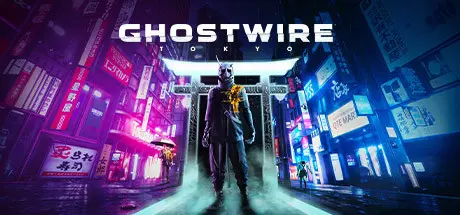
Ghostwire: Tokyo Free Download (Build 13890751 + ALL DLC)
Featured Replies

header.webp

Game Details

Release Name:ย Ghostwire: Tokyo

Game Version:ย Build 13890751

Release Date: 24 Mar, 2022

Publisher: Bethesda Softworks

Developer: Tango Gameworks

Based On:ย CSF & Goldberg

Ghostwire: Tokyo Direct Download - Game Review

Face the unknown, uncover the truth and save the city

Tokyo is overrun by deadly supernatural forces as a dangerous occultist causes the city's population to vanish in an instant. Join forces with a powerful spectral entity on theirโ€ฏquest for vengeanceโ€ฏand master a powerful arsenal of abilities to unravel theโ€ฏdarkโ€ฏtruth behind the disappearance as you FACE THE UNKNOWN in Ghostwire: Tokyo.
Explore a unique vision of Tokyo twisted by a supernatural presence. From its ultra-modern cityscape to its traditional temples and narrow alleyways, discover a hauntingly beautiful city teeming with Yokai - vengeful spirits that prowl the streets.

Discover iconic landmarks like Shibuya Crossing and Tokyo Tower, stunningly rendered with incredible detail and built to take advantage of next-generation technology. Experience the city frozen in time when the cityโ€™s population disappeared, and travel to the surreal underworld on your quest to save your family.


Game Screenshots

screenshot screenshot screenshot screenshot


Game Trailer


System Requirements

Minimum Requirements

Recommended Requirements

OS

64bit Windows10 (version 1909 or higher)

64bit Windows10 (version 1909 or higher)

Processor

Core i7 4770K @3.5ghz / Ryzen 5 2600

Core i7 6700 @3.4ghz / Ryzen 5 2600

Memory

12 GB RAM

16 GB RAM

Graphics

GTX1060 / RX5500XT / Arc A380* (VRAM 6GB or higher)

GTX1080 / RX5600XT / Arc A750* (VRAM 6GB or higher)

DirectX

Version 12

Version 12

Storage

26 GB available space

26 GB available space


Installation Guide

  1. No Installation Needed: The game is pre-installed. Just download and extract.

  2. Extract: Right-click the .zip or .rar file and select "Extract Here" or "Extract to folder".

  3. Run: Find GWT.exe inside the folder and run it.

Game Data & Settings

  • Change Language: Edit the file located at steam_settings/Configs.user.ini

  • Save Data Location: %USERPROFILE%/Saved Games/TangoGameworks/GhostWire Tokyo (STEAM)/Saved/SaveGames

Important Notes

DLC List

Added DLCs

GhostWire: Tokyo - Preorder Outfits Pack

Ghostwire: Tokyo - Deluxe Upgrade

๐Ÿ”ฅDOWNLOAD AREA๐Ÿ”ฅ

๐Ÿ”น22.71 GB๐Ÿ”น

Select the server you want to download with ZeiLink.

Download

  • Views 474
  • Created
  • Last Reply

Posted Images

Create an account or sign in to comment

Recently Browsing 0

  • No registered users viewing this page.

Account

Navigation

Search

Search

๐Ÿ”Ž Search Tip
For exact results, search using "game name" .
Without quotes, results may include unrelated titles.

Configure browser push notifications

Chrome (Android)
  1. Tap the lock icon next to the address bar.
  2. Tap Permissions โ†’ Notifications.
  3. Adjust your preference.
Chrome (Desktop)
  1. Click the padlock icon in the address bar.
  2. Select Site settings.
  3. Find Notifications and adjust your preference.
