




Theme
Language

Layout
Skip to content
View in the app

A better way to browse. Learn more.

ZeiGames

A full-screen app on your home screen with push notifications, badges and more.

To install this app on iOS and iPadOS
  1. Tap the Share icon in Safari
  2. Scroll the menu and tap Add to Home Screen.
  3. Tap Add in the top-right corner.
To install this app on Android
  1. Tap the 3-dot menu (โ‹ฎ) in the top-right corner of the browser.
  2. Tap Add to Home screen or Install app.
  3. Confirm by tapping Install.

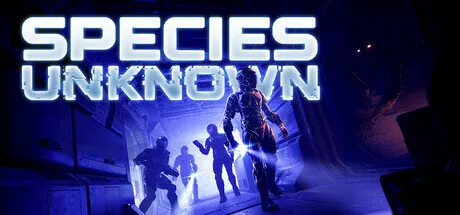
Species: Unknown Online Fix v3

1 Screenshot

How to Play Species: Unknown Online

Download the latest Species: Unknown Online Fix to play multiplayer with your friends through Steam. This Online Fix includes all the required files to enable co-op gameplay. Follow the installation guide below to install the fix correctly, invite your friends, and enjoy online gameplay.

Installation

  1. Download the Online Fix files.

  2. Extract the archive using the password:
    zeigames.com

  3. Copy all extracted files into your Species: Unknown installation folder and replace existing files if prompted.

Launching the Game

  1. Sign in to your Steam account.

  2. Run SpeciesUnknown.exe from the game directory.

  3. Wait for the game to load.

Playing with Friends

  • Make sure you and your friends are added as friends on Steam.

  • Create or host a multiplayer session.

  • Invite your friends through the in-game invite system.

If Invites Don't Work

Some versions of the Online Fix may have issues with the built-in invite feature.

If the in-game invite button doesn't work:

  1. Open the Steam Overlay (Shift + Tab).

  2. Find your friend's profile in your Steam Friends list.

  3. Right-click their name and select Invite to Game (Spacewar).

  4. Your friend can then accept the invitation and join your session.

Need Help with Online Fix?

If you're not familiar with Online Fix or Steam invitations, check out our guide:

How to Play Games Online?

Enjoy playing Species: Unknown online with your friends!

Looking for the Full Game?

Looking for the full version of Species: Unknown? Visit our Species: Unknown Free Download page below.

What's New in Version v3

Released

No changelog available for this version.

User Feedback

Recommended Comments

kwiatek

Member

(edited)

When downloading the game it works fine. But after the online fix is applied, the game doesn't work anymore followed by this error. @DicDale Maybe you can look into this

image_error.png

Edited by kwiatek

25 minutes ago, kwiatek said:

When downloading the game it works fine. But after the online fix is applied, the game doesn't work anymore followed by this error. @DicDale Maybe you can look into this

image_error.png

Online fix updated now. Can you try again?

kwiatek

Member

34 minutes ago, DicDale said:

Online fix updated now. Can you try again?

Thank you. It runs but it still says the game is offline / it also doesn't show in steam that i'm in game.

Just now, kwiatek said:

Thank you. It runs but it still says the game is offline / it also doesn't show in steam that i'm in game.

Did you delete old online fix files?

kwiatek

Member

1 minute ago, DicDale said:

Did you delete old online fix files?

Yes, i did it again with completely fresh files.

5 minutes ago, kwiatek said:

Yes, i did it again with completely fresh files.

I updated again, should work now.

kwiatek

Member

(edited)

22 hours ago, DicDale said:

I updated again, should work now.

Same problem here, it still shows me Offline in game (in the top right corner). I can only start the game on "Solo" mode. Thank you though for quick updates and your hard work!

Edited by kwiatek

1 hour ago, kwiatek said:

Same problem here, it still shows me Offline in game (in the top right corner). I can only start the game on "Solo" mode. Thank you though for quick updates and your hard work!

Did you login the epic games account on popped browser page?

kwiatek

Member

11 hours ago, DicDale said:

Did you login the epic games account on popped browser page?

"Restricted access to the application" that's what it's saying after I log in.

OneNutLad

Member

On 2/25/2026 at 8:39 AM, kwiatek said:

"Restricted access to the application" that's what it's saying after I log in.

I have the same problem, does anyone have a fix for this, or is this gamefix abandoned

Create an account or sign in to comment

Recently Browsing 0

  • No registered users viewing this page.

Who was online for 24 hours 691

Account

Navigation

Search

Search

๐Ÿ”Ž Search Tip
For exact results, search using "game name" .
Without quotes, results may include unrelated titles.

Configure browser push notifications

Chrome (Android)
  1. Tap the lock icon next to the address bar.
  2. Tap Permissions โ†’ Notifications.
  3. Adjust your preference.
Chrome (Desktop)
  1. Click the padlock icon in the address bar.
  2. Select Site settings.
  3. Find Notifications and adjust your preference.