



Skip to content
View in the app

A better way to browse. Learn more.

ZeiGames

A full-screen app on your home screen with push notifications, badges and more.

To install this app on iOS and iPadOS
  1. Tap the Share icon in Safari
  2. Scroll the menu and tap Add to Home Screen.
  3. Tap Add in the top-right corner.
To install this app on Android
  1. Tap the 3-dot menu (โ‹ฎ) in the top-right corner of the browser.
  2. Tap Add to Home screen or Install app.
  3. Confirm by tapping Install.

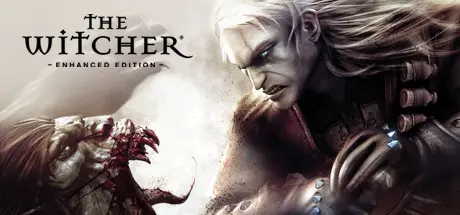
The Witcher: Enhanced Edition Director's Cut Free Download (Build 13143960 + Director's Cut DLC)

Featured Replies

header.webp

Game Details

Release Name:ย The Witcher: Enhanced Edition Director's Cut

Game Version:ย Build 13143960

Release Date: 16 Sep, 2008

Publisher: CD PROJEKT RED, 1C-SoftClub

Developer: CD PROJEKT RED

Based On:ย CSF & Steamless, Arn0lo Reg

The Witcher: Enhanced Edition Director's Cut Direct Download - Game Review

The Witcher is a role-playing game set in a dark fantasy world where moral ambiguity reigns. Shattering the line between good and evil, the game emphasizes story and character development, while incorporating a tactically-deep, real-time combat system.

Become The Witcher, Geralt of Rivia, and get caught in a web of intrigue woven by forces vying for control of the world. Make difficult decisions and live with the consequences in a game that will immerse you in an extraordinary tale like no other.

  • Take on the role of Geralt of Rivia: a charismatic swordmaster and professional monster slayer.

  • Choose from over 250 special abilities, combat skills and magical powers to build a character best suited to your style of play.

  • Enter a harsh fantasy world inspired by the writings of renowned Polish author Andrzej Sapkowski, where nothing is truly black or white, right or wrong.

  • Immerse yourself in an epic narrative full of turns, twists and ambiguous moral decisions which have real impact on the storyline.

  • Accomplish quests in a variety of ways and see how the narrative culminates in one of three different endings depending on your actions.

  • Engage in elaborate, yet intuitive real-time combat based on real medieval sword-fighting techniques.

  • Battle using six combat styles, dozens of potions, complex alchemy system, modifiable weapons and powerful magic which all add tactical depth to the fluid real-time experience.

  • Motion capture performed by medieval fighting experts at Frankfurt's renowned Metric Minds studio, resulting in 600 spectacular and authentic in-game combat animations.


Game Screenshots

screenshot screenshot screenshot screenshot


Game Trailer


System Requirements

Minimum Requirements

Recommended Requirements

OS

Microsoftยฎ Windowsยฎ /XP/Vista

-

Processor

Intel Pentium 4 2.4 GHz or Athlon 64 +2800 (Intel Pentium 4 3.0 GHz or AMD Athlon 64 +3000 recommended). Athlon XP series, such as the Athlon XP +2400, is not supported

-

Memory

1 GB RAM (2 GB RAM recommended)

-

Graphics

NVIDIA GeForce 6600 or ATI Radeon 9800 or better (NVIDIA GeForce 7800 GTX or ATI Radeon X1950 XT or better recommended)

-

DirectX

DirectX 9.0c (included) or higher

-

Storage

15 GB Free

-


Installation Guide

  1. No Installation Needed: The game is pre-installed. Just download and extract.

  2. Extract: Right-click the .zip or .rar file and select "Extract Here" or "Extract to folder".

  3. Run: Right Click !The Witcher Enhanced Edition.reg file and edit, change this path "InstallFolder"="C:\\GAMES\\The Witcher Enhanced Edition" your game files path. And start .reg file one time. (Keep the double backslashes \\)

  4. Find launcher.exe inside the folder and run it.

Game Data & Settings

  • Change Language: Move the language files on LANGUAGES folder to main game folder and Open !The Witcher Enhanced Edition.reg file and edit "Language"="3" (1-8) save. And start .reg file one time.

  • Save Data Location: %USERPROFILE%/My Documents/The Witcher/saves/

Important Notes

DLC List

Added DLCs

The Witcher: Director's Cut DLC (The Witcher: Director's Cut Update)

๐Ÿ”ฅDOWNLOAD AREA๐Ÿ”ฅ

๐Ÿ”น19.42 GB๐Ÿ”น

Select the server you want to download with ZeiLink.

ALL Languages Included.

Download

  • Views 429
  • Created
  • Last Reply

Posted Images

Create an account or sign in to comment

Recently Browsing 0

  • No registered users viewing this page.

Account

Navigation

Search

Search

๐Ÿ”Ž Search Tip
For exact results, search using "game name" .
Without quotes, results may include unrelated titles.

Configure browser push notifications

Chrome (Android)
  1. Tap the lock icon next to the address bar.
  2. Tap Permissions โ†’ Notifications.
  3. Adjust your preference.
Chrome (Desktop)
  1. Click the padlock icon in the address bar.
  2. Select Site settings.
  3. Find Notifications and adjust your preference.