



Skip to content
View in the app

A better way to browse. Learn more.

ZeiGames

A full-screen app on your home screen with push notifications, badges and more.

To install this app on iOS and iPadOS
  1. Tap the Share icon in Safari
  2. Scroll the menu and tap Add to Home Screen.
  3. Tap Add in the top-right corner.
To install this app on Android
  1. Tap the 3-dot menu (โ‹ฎ) in the top-right corner of the browser.
  2. Tap Add to Home screen or Install app.
  3. Confirm by tapping Install.

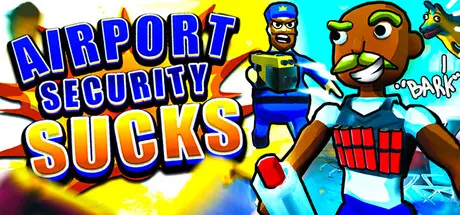
Airport Security Sucks! Free Download (Build 23588923 + Online)
Featured Replies

header.webp

Game Details

Release Name:ย Airport Security Sucks!

Game Version:ย Build 23588923

Release Date: 5 Jun, 2026

Publisher: Jatater Worldwide

Developer: JakeHub, Metater

Based On:ย CSF & Unsteam

Airport Security Sucks! Direct Download - Game Review

Play with friends or in public lobbies; create lobbies as large as your PC can handle!

Interface and voice control support for 13 languages! 4 maps and many game modes and cosmetics!

Before time runs out, smuggle all you can onto the plane and blend in with the NPC air travelers. Use gadgets and ordinance you never could in a real life airport! Collaborate with your fellow smugglers to create distractions, troll, or remain undetected.

Apprehend the smugglers at all costs! But don't hurt the innocent air travelers. Bark voice control commands at your discretion to control the flow of people, your butt-searching parrot, and attack/sniffer dog. Use tools and weapons real TSA could only dream of using, like aย FGM-148 Javelin anti-tank missile or souped-up segways.

An Among Us-style social deduction game mode with two sides: the hijackers and the air marshals. The hijackers attempt to bring the plane down by any means necessary, while the air marshals attempt to eliminate all of the hijackers and ensure a safe arrival.


Game Screenshots

screenshot screenshot screenshot screenshot


Game Trailer


System Requirements

Minimum Requirements

Recommended Requirements

OS

Windows 10 (64-bit)

Windows 10 / 11 (64-bit)

Processor

Intel Core i5-8400 / AMD Ryzen 5 2600

Intel Core i7-9700K / AMD Ryzen 7 3700X

Memory

2 GB RAM

4 GB RAM

Graphics

NVIDIA GTX 1060 (6 GB) / AMD RX 580

NVIDIA RTX 2060 / AMD RX 5700 XT

DirectX

Version 11

Version 12

Storage

3 GB available space

3 GB available space


Installation Guide

  1. No Installation Needed: The game is pre-installed. Just download and extract.

  2. Extract: Right-click the .zip or .rar file and select "Extract Here" or "Extract to folder".

  3. Run: Sign in Steam Account and Find Airport Security Sucks!.exe inside the folder and run it.

Important Notes

๐Ÿ”ฅDOWNLOAD AREA๐Ÿ”ฅ

๐Ÿ”น1.14 GB๐Ÿ”น

Select the server you want to download with ZeiLink.

Download

  • Replies 3
  • Views 815
  • Created
  • Last Reply

Top Posters In This Topic

Posted Images

Create an account or sign in to comment

Recently Browsing 0

  • No registered users viewing this page.

Account

Navigation

Search

Search

๐Ÿ”Ž Search Tip
For exact results, search using "game name" .
Without quotes, results may include unrelated titles.

Configure browser push notifications

Chrome (Android)
  1. Tap the lock icon next to the address bar.
  2. Tap Permissions โ†’ Notifications.
  3. Adjust your preference.
Chrome (Desktop)
  1. Click the padlock icon in the address bar.
  2. Select Site settings.
  3. Find Notifications and adjust your preference.
