



Skip to content
View in the app

A better way to browse. Learn more.

ZeiGames

A full-screen app on your home screen with push notifications, badges and more.

To install this app on iOS and iPadOS
  1. Tap the Share icon in Safari
  2. Scroll the menu and tap Add to Home Screen.
  3. Tap Add in the top-right corner.
To install this app on Android
  1. Tap the 3-dot menu (⋮) in the top-right corner of the browser.
  2. Tap Add to Home screen or Install app.
  3. Confirm by tapping Install.

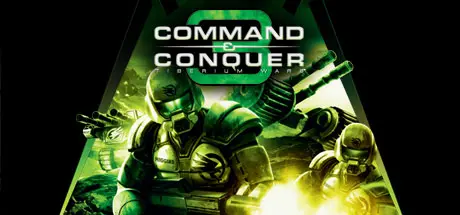
Command & Conquer 3 Tiberium Wars Free Download (Build 17447444)
Featured Replies

header.webp

Game Details

Release Name: Command & Conquer 3 Tiberium Wars

Game Version: Build 17447444

Release Date: 13 Nov, 2009

Publisher: Electronic Arts

Developer: EA Los Angeles

Based On: CSF & Goldberg

Command & Conquer 3 Tiberium Wars Direct Download - Game Review

The year is 2047. A massive nuclear fireball explodes high in the night sky, marking the dramatic beginning of the Third Tiberium War and the long-awaited return of the most groundbreaking Real-Time Strategy franchise of all time. Command & Conquer 3 Tiberium Wars unveils the future of RTS gaming by bringing you back to where it all began: the Tiberium Universe. With the corrupt substance Tiberium blanketing most of the Earth, the infamous Kane is back to lead his Brotherhood of Nod in a massive global assault on the Global Defense Initiative (GDI) and the few remaining livable Blue Zones left on the planet. Only you can stop him. Featuring state-of-the-art next-generation graphics, an epic story, and truly innovative features such as the ability to transform online battles into a spectator sport, Command & Conquer is about to reinvent RTS gaming … again. Welcome back, Commander.


Game Screenshots

screenshot screenshot screenshot screenshot


Game Trailer


System Requirements

Minimum Requirements

Recommended Requirements

OS

Windows XP/Vista

-

Processor

2GHz AMD Athlon processor or equivalent

-

Memory

512MB RAM

-

Graphics

ATI Radeon 8500 or Nvidia GeForce 4 or higher video card

-

DirectX

-

-

Storage

8GB

-


Installation Guide

  1. No Installation Needed: The game is pre-installed. Just download and extract.

  2. Extract: Right-click the .zip or .rar file and select "Extract Here" or "Extract to folder".

  3. Run: Find CNC3.exe inside the folder and run it.

Game Data & Settings

  • Change Language: Move the language fils in LANGUAGES folder to main game folder.

  • Save Data Location: %USERPROFILE%/Saved Games/Command & Conquer 3 Tiberium Wars

Important Notes

🔥DOWNLOAD AREA🔥

🔹11.80 GB🔹

Select the server you want to download with ZeiLink.

ALL Languages Included.

Download

  • Views 272
  • Created
  • Last Reply

Posted Images

Create an account or sign in to comment

Recently Browsing 0

  • No registered users viewing this page.

Account

Navigation

Search

Search

🔎 Search Tip
For exact results, search using "game name" .
Without quotes, results may include unrelated titles.

Configure browser push notifications

Chrome (Android)
  1. Tap the lock icon next to the address bar.
  2. Tap Permissions → Notifications.
  3. Adjust your preference.
Chrome (Desktop)
  1. Click the padlock icon in the address bar.
  2. Select Site settings.
  3. Find Notifications and adjust your preference.
