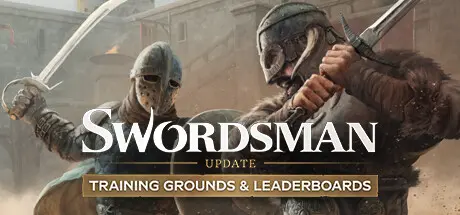
June 3Jun 3 Swordsman VR Game DetailsRelease Name: Swordsman VRGame Version: Build 17356985Release Date: 24 Sep, 2020Publisher: Sinn Studio Inc.Developer: Sinn Studio Inc.Based On: CSF & GoldbergSwordsman VR Direct Download - Game OverviewSwordsman is a realistic sword-fighting game with challenging opponents and epic boss fights. Experience real combat that requires strategy against armored, physically simulated enemies that can parry, riposte, step, and dodge in this action-packed, award-winning game! Approach every fight like a real duel — parry enemies and strike them when they're weak!Physically simulated weapons and realistic armor physics will challenge you in this visceral combat experience. Master the blade and become the ultimate Swordsman in VR!To save humanity, you'll have to defeat armies from all over the world. Knights, Vikings, Mongols, Samurai, Pirates and more. Epic battles on ships in the Caribbean, duel to the death in the Gobi desert or clash with Hel, the goddess of the Underworld.Visit the Blacksmith to purchase weapons or take down powerful bosses to unlock their unique weapons and their special abilities. Gear up for increasingly difficult fights on your quest to find the Jötunn. Experience our released "Advanced Weapon Handling" update.Weapons alone will not be enough to defeat the Jötunn and his armies. Visit the Skill Master to upgrade your stats and skills and the Armorer to equip yourself with better armor. Be strategic and build your ideal character build to suit your unique playstyle.Swordsman VR Screenshots Swordsman VR TrailerSwordsman VR System Requirements Minimum RequirementsRecommended Requirements OS10- Processori5-4590 Equivalent or Greater- Memory8 GB RAM- GraphicsNVIDIA GTX 970 Equivalent or Greater- DirectXVersion 12- Storage11 GB available space- How to Install Swordsman VRNo Installation Needed: The game is pre-installed. Just download and extract.Extract: Right-click the .zip or .rar file and select "Extract Here" or "Extract to folder".Run: Find Medieval.exe inside the folder and run it.Game Data & SettingsChange Language: Edit the file located at steam_settings/Configs.user.iniImportant NotesTo support the Game Developer, Get It On Steam.🔥DOWNLOAD AREA🔥🔹7.93 GB🔹Select the server you want to download with ZeiLink.Download





Create an account or sign in to comment