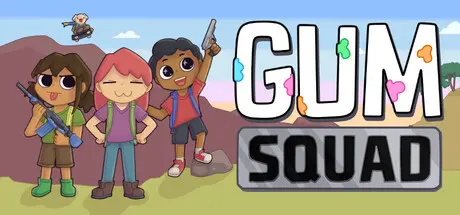
June 2Jun 2 Gum Squad Game DetailsRelease Name: Gum SquadGame Version: v0.5.0.1 | Build 22352668Release Date: 31 May, 2026Publisher: Fern NigroDeveloper: Fern NigroBased On: CSF & GoldbergGum Squad Direct Download - Game OverviewPlay Co-op PvE with up to 8 friends!!The world is quiet… a little dusty… and very, very sticky. Gum Squad drops you into wide open fields and sleepy deserts where gum became the world’s favorite resource, and maybe its biggest mistake. With a humble peashooter and a few friends by your side, you’ll wander curious places, uncover what went wrong, and slowly build yourself up from whatever you can scavenge.There’s no rush but the danger is real. Enemies move with intent, take cover, and push back when they spot you, turning calm exploration into sudden, focused firefights. Between trips, tune your loadout, manage your inventory, and customize your character before heading out again.A quiet world, a sticky problem, and just enough trouble to keep things interesting.Online PvE - Start a world and jump right into the action with up to 8 friends!Character Customization - Make changes to your outfit with a large range of options or dress up with loot that you find on your adventure!Character Progression - Gain XP as you defeat enemies and level up various skills to build yourself into the gum demon of your dreams.Exciting Gun Fights - Go against NPCs that take cover, peek out to shoot at you, and fall back when they need to reload.Massive Game World - Explore a gummed-up world full of enemies, loot, and skateboards??In-depth Inventory Systems - Manage your carrying weight, organize your bag before going on trips.Gum Squad Screenshots Gum Squad TrailerGum Squad System Requirements Minimum RequirementsRecommended Requirements OSWindows 10- ProcessorCore i3-13100F or Ryzen 5 3600- Memory2 GB RAM- GraphicsNvidia GTX 1050 or AMD Radeon RX 560- DirectX-- Storage250 MB available space- How to Install Gum SquadNo Installation Needed: The game is pre-installed. Just download and extract.Extract: Right-click the .zip or .rar file and select "Extract Here" or "Extract to folder".Run: Find GumSquad.exe inside the folder and run it.Multiplayer & Online (Optional)Play Online: Download the Online Fix file and apply it to the game folder.Please go to the online fix page and read the guide.Game Data & SettingsChange Language: Edit the file located at steam_settings/Configs.user.iniImportant NotesTo support the Game Developer, Get It On Steam.🔥DOWNLOAD AREA🔥🔹97 MB🔹Select the server you want to download with ZeiLink.DownloadOnline Fix - (RAR pass: zeigames.com)





Create an account or sign in to comment