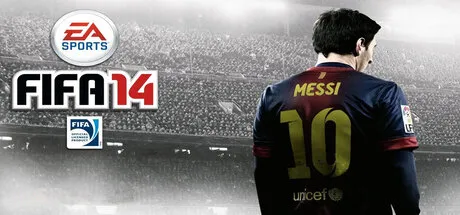
June 1Jun 1 FIFA 14 Game DetailsRelease Name: FIFA 14Game Version: v1.7.0.0Release Date: 1 Oct, 2021Publisher: Electronic ArtsDeveloper: EA Canada & EA RomaniaBased On: 3DM + ModdingWay v8.0.1FIFA 14 Direct Download - Game OverviewExperience the excitement of world-class football in FIFA 14, developed by EA Sports. Featuring realistic ball physics, improved player intelligence, and authentic team tactics, FIFA 14 delivers a more immersive and strategic football experience than ever before. Compete with over 600 licensed clubs, 30+ leagues, and thousands of real players from around the globe.Whether you're leading your favorite club to glory in Career Mode, building your dream squad in Ultimate Team, or challenging friends in local and online matches, FIFA 14 offers endless hours of football action. Step onto the pitch and play the beautiful game your way.FIFA 14 ScreenshotsFIFA 14 TrailerFIFA 14 System RequirementsMinimum RequirementsRecommended RequirementsOSWindows Vista SP2 / Windows 7 / Windows 8Windows 7 / Windows 8ProcessorIntel Core 2 Duo 1.8 GHz or AMD Athlon II X2 240Intel Core 2 Quad Q6600 2.4 GHz or AMD Phenom II X4 965Memory2 GB RAM8 GB RAMGraphicsNVIDIA GeForce 6800 GT / ATI Radeon X1600 Pro (256 MB VRAM)NVIDIA GeForce GTX 460 or AMD Radeon HD 6850DirectXVersion 9.0cVersion 11Storage20 GB available space20 GB available spaceHow to Install FIFA 14No Installation Needed: The game is pre-installed. Just download and extract.Extract: Right-click the .zip or .rar file and select "Extract Here" or "Extract to folder".Run: Find Game/fifa14-3dm.exe inside the folder and run it.🔥DOWNLOAD AREA🔥🔹9.67 GB🔹Select the server you want to download with ZeiLink.Download





Create an account or sign in to comment