



Skip to content
View in the app

A better way to browse. Learn more.

ZeiGames

A full-screen app on your home screen with push notifications, badges and more.

To install this app on iOS and iPadOS
  1. Tap the Share icon in Safari
  2. Scroll the menu and tap Add to Home Screen.
  3. Tap Add in the top-right corner.
To install this app on Android
  1. Tap the 3-dot menu (⋮) in the top-right corner of the browser.
  2. Tap Add to Home screen or Install app.
  3. Confirm by tapping Install.

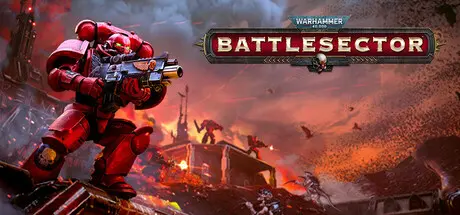
Warhammer 40,000: Battlesector Free Download (v1.7.1 + ALL DLC)
Featured Replies

header.webp

Game Details

Release Name: Warhammer 40,000: Battlesector

Game Version: v1.7.1 | Build 23412769

Release Date: 22 Jul, 2021

Publisher: Slitherine Ltd.

Developer: Slitherine Ltd.

Based On: CSF & Goldberg

Warhammer 40,000: Battlesector Direct Download - Game Review

Experience an epic twenty mission single-player campaign that explores the aftermath of the Devasta-tion of Baal. Help Sergeant Carleon and his allies purge the Tyranid infestation on Baal Secundus, and preserve the honour of the noble Blood Angels.

Fight across the surface of Baal on maps of your choosing in the Skirmish mode. Pick the faction you'll lead as well as the one you'll face. Completely customize your army list by selecting your units, heroes and their loadouts. It is available with three different types of Objective: Exterminatus, Conqueror and Strategic Command.

Planetary Supremacy is a conquest-style skirmish campaign, introduced in a free update as part of our ever expanding plan for Battlesector, in which you, the player, decide the outcome.

Take command of your favourite faction and conquer the planet in a series of procedurally generated skirmish battles. To achieve victory, capture more tiles, acquire strategic resources and expand your army. Then, bring destruction to your enemies in Skirmish battles.

Daemonic Incursion is a single-player mode that is available to all Battlesector players as part of a free update that was launched alongside the Sisters of Battle Faction Pack. In Daemonic Incursion, waves of Khornate daemons enter realspace to spill blood, collect skulls and overrun your forces. This is a last-stand mode, in which your objective is simple: SURVIVE!

Command iconic units like the Sanguinary Priest, the Librarian Dreadnought, and the Hive Tyrant to annihilate your foes. Use over 60 abilities and 50 weapons to orchestrate your opponent’s bloody de-mise.


Game Screenshots

screenshot screenshot screenshot screenshot


Game Trailer


System Requirements

Minimum Requirements

Recommended Requirements

OS

64-bit Windows 10

64-bit Windows 10

Processor

i5-4460 (or equivalent)

i5-6400 (or equivalent)

Memory

4 GB RAM

8 GB RAM

Graphics

Geforce GTX 750 (2GB VRAM)

Geforce GTX 950 (2GB VRAM)

DirectX

Version 11

Version 11

Storage

25 GB available space

25 GB available space


Installation Guide

  1. No Installation Needed: The game is pre-installed. Just download and extract.

  2. Extract: Right-click the .zip or .rar file and select "Extract Here" or "Extract to folder".

  3. Run: Find Warhammer 40K Battlesector.exe inside the folder and run it.

Game Data & Settings

  • Change Language: Edit the file located at steam_settings/Configs.user.ini

  • Save Data Location: %USERPROFILE%/My Documents/Black Lab Games/Warhammer 40,000 Battlesector/Saves

Important Notes

DLC List

Added DLCs

Warhammer 40,000: Battlesector - Ultramarines

Warhammer 40,000: Battlesector - Black Legion

Warhammer 40,000: Battlesector - Deeds of the Fallen

Warhammer 40,000: Battlesector - Astra Militarum

Warhammer 40,000: Battlesector - T'au

Warhammer 40,000: Battlesector - Orks

Warhammer 40,000: Battlesector - Daemons of Khorne

Warhammer 40,000: Battlesector - Sisters of Battle

Warhammer 40,000: Battlesector - Necrons Faction Pack (Warhammer 40,000: Battlesector - Necrons)

Warhammer 40,000: Battlesector - Tyranid Elites Pack (Warhammer 40,000: Battlesector - Tyranid Elites)

Warhammer 40,000: Battlesector - Blood Angels Elites Pack

🔥DOWNLOAD AREA🔥

🔹13.83 GB🔹

Select the server you want to download with ZeiLink.

Download

  • Replies 1
  • Views 531
  • Created
  • Last Reply

Top Posters In This Topic

Posted Images

Create an account or sign in to comment

Recently Browsing 0

  • No registered users viewing this page.

Account

Navigation

Search

Search

🔎 Search Tip
For exact results, search using "game name" .
Without quotes, results may include unrelated titles.

Configure browser push notifications

Chrome (Android)
  1. Tap the lock icon next to the address bar.
  2. Tap Permissions → Notifications.
  3. Adjust your preference.
Chrome (Desktop)
  1. Click the padlock icon in the address bar.
  2. Select Site settings.
  3. Find Notifications and adjust your preference.
