



Skip to content
View in the app

A better way to browse. Learn more.

ZeiGames

A full-screen app on your home screen with push notifications, badges and more.

To install this app on iOS and iPadOS
  1. Tap the Share icon in Safari
  2. Scroll the menu and tap Add to Home Screen.
  3. Tap Add in the top-right corner.
To install this app on Android
  1. Tap the 3-dot menu (โ‹ฎ) in the top-right corner of the browser.
  2. Tap Add to Home screen or Install app.
  3. Confirm by tapping Install.

Backrooms Cleanup Crew Free Download (Build 23491866 + Online)
Featured Replies

header.webp

Game Details

Release Name:ย Backrooms Cleanup Crew

Game Version:ย Build 23491866

Release Date: 16 Apr, 2025

Publisher: On The Bridge Games

Developer: On The Bridge Games

Based On:ย CSF & Goldberg

Backrooms Cleanup Crew Direct Download - Game Review

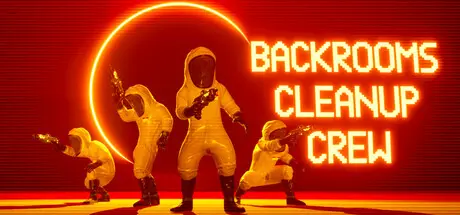
Backrooms Cleanup Crew is a multiplayer cleaning simulator where you step into the role of a humble cleaner working for F-Corp. You are tasked with cleaning the aftermath of other corporationsโ€™ mishaps in the Backrooms. However, nothing is ever that simple in the Backrooms: Clean each room as quickly as possible while avoiding increasingly deadly Incursions.

Team up with up to 3 other players to make quick work of cleaning a variety of levels. Switch between different nozzle types to suit the cleaning at hand.

In addition to scrubbing walls, collect and bin all of the objects in the level. Donโ€™t worry about being gentleโ€”feel free to toss items across the room to speed up the process!

Beware increasingly difficult and deadly Incursions - dodge between attacks while cleaning any glowing markings to prevent new attacks. Gain power from clearing these markings to make your cleaning even faster.

In addition to the Normal game mode described above, Backrooms Cleanup Crew can be played on Hard and Peaceful modes.

Backrooms Cleanup Crew currently has 22 playable levels and on average it takes 4 hours to experience all of the unique content. More levels will be added throughout Early Access.


Game Screenshots

screenshot screenshot screenshot screenshot


Game Trailer


System Requirements

Minimum Requirements

Recommended Requirements

OS

Windows 10 64-bit or higher

-

Processor

Intel Core i5-4670K / AMD FX-8350 CPU or equivalent

-

Memory

8 GB RAM

-

Graphics

NVIDIA GeForce GTX 970 / AMD Radeon R9 290 or equivalent

-

DirectX

-

-

Storage

5 GB available space

-


Installation Guide

  1. No Installation Needed: The game is pre-installed. Just download and extract.

  2. Extract: Right-click the .zip or .rar file and select "Extract Here" or "Extract to folder".

  3. Run: Find BackroomsCleanupCrew.exe inside the folder and run it.

Multiplayer & Online (Optional)

  • Play Online: Download the Online Fix file and apply it to the game folder.

  • Please go to the online fix page and read the guide.

Game Data & Settings

  • Change Language: Edit the file located at steam_settings/Configs.user.ini

  • Save Data Location: %USERPROFILE%/AppData/Local/BackroomsCleanupCrew/Saved/Persistence/

Important Notes

๐Ÿ”ฅDOWNLOAD AREA๐Ÿ”ฅ

๐Ÿ”น7.34 GB๐Ÿ”น

Select the server you want to download with ZeiLink.

Download

Online Fix - (RAR pass: rexagames.com)

  • Views 684
  • Created
  • Last Reply

Posted Images

Create an account or sign in to comment

Recently Browsing 0

  • No registered users viewing this page.

Account

Navigation

Search

Search

๐Ÿ”Ž Search Tip
For exact results, search using "game name" .
Without quotes, results may include unrelated titles.

Configure browser push notifications

Chrome (Android)
  1. Tap the lock icon next to the address bar.
  2. Tap Permissions โ†’ Notifications.
  3. Adjust your preference.
Chrome (Desktop)
  1. Click the padlock icon in the address bar.
  2. Select Site settings.
  3. Find Notifications and adjust your preference.
