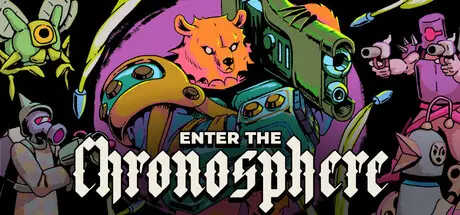
May 31May 31 Enter the Chronosphere Game DetailsRelease Name: Enter the ChronosphereGame Version: v0.137.15 | Build 23425363Release Date: 25 May, 2026Publisher: Joystick Ventures, Gamirror Games, Beep Japan Inc.Developer: Effort StarBased On: CSF & GoldbergEnter the Chronosphere Direct Download - Game OverviewEnter the Chronosphere is a roguelike shooter that combines turn-based tactics and real time action. Follow the crew of the Starseer as they combat a galactic threat: giant spheres that are consuming reality itself. Fight to the center of procedurally generated chronospheres, unlocking new characters, alien weapons and powerful synergies.A bullet hell shooter that gives you time to plan your next move.Between each turn, bullets hang in mid-air and enemies are frozen. When you move, so does everything else. Alternate between bold action and careful planning. Dodge through a field of bullets, reload your shotgun, knock enemies into pits, call an artillery strike, or heal up just before you get hit in the face.Mix weapons, gear and gadgets from different worlds to create powerful builds. Incinerate enemies from afar with sweeping lasers, fire your shotgun around a corner with bouncing bullets, modify your chainsaw to implant alien eggs, and then detonate your hatched minions like living bombs.Enter the Chronosphere Screenshots Enter the Chronosphere TrailerEnter the Chronosphere System Requirements Minimum RequirementsRecommended Requirements OSWindows 10 64-bitWindows 10 64-bit ProcessorDual Core 2.4 GHzQuad Core 2.4ghz Memory8 GB RAM8 GB RAM GraphicsGeForce GTX 950, Radeon R7 360, or Intel HD Graphics 630GeForce RTX 2060, Radeon RX 5600 XT, or Intel Arc A580 DirectX-- Storage4 GB available space4 GB available space How to Install Enter the ChronosphereNo Installation Needed: The game is pre-installed. Just download and extract.Extract: Right-click the .zip or .rar file and select "Extract Here" or "Extract to folder".Run: Find Enter the Chronosphere.exe inside the folder and run it.Game Data & SettingsChange Language: Edit the file located at steam_settings/Configs.user.iniSave Data Location: %USERPROFILE%/AppData/LocalLow/Effort Star/Enter the Chronosphere/Important NotesTo support the Game Developer, Get It On Steam.🔥DOWNLOAD AREA🔥🔹656 MB🔹Select the server you want to download with ZeiLink.Download





Create an account or sign in to comment