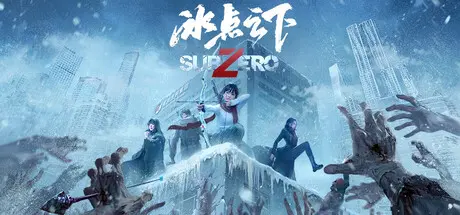
May 31May 31 SubZero Game DetailsRelease Name: SubZeroGame Version: Build 23461289Release Date: 29 May, 2026Publisher: 凤麟工作室, 一相逢互动娱乐, Joy Media LimitedDeveloper: Joy Media LimitedBased On: CSF & GoldbergSubZero Direct Download - Game OverviewWhen a cold snap froze the entire world, three survivors of vastly different temperaments burst into your life. You'll lead them through this frozen wasteland of an adventure! As zombie groans morph into mournful elegies and blizzards blur the line between good and evil... What awaits ahead - hope or conspiracy? And now, that fate-deciding dice burns hot between your fingers...SubZero Screenshots SubZero System Requirements Minimum RequirementsRecommended Requirements OSWindows 10Windows 10 / Windows 11 ProcessorIntel Core i3Intel Core i5 / AMD equivalent Memory4 GB RAM4 GB RAM GraphicsGTX 1050 or betterGTX 1050 or better DirectXVersion 11Version 11 Storage20 GB available space20 GB available space How to Install SubZeroNo Installation Needed: The game is pre-installed. Just download and extract.Extract: Right-click the .zip or .rar file and select "Extract Here" or "Extract to folder".Run: Find SubZero.exe inside the folder and run it.Game Data & SettingsChange Language: Edit the file located at steam_settings/Configs.user.iniSave Data Location: */SaveImportant NotesTo support the Game Developer, Get It On Steam.🔥DOWNLOAD AREA🔥🔹15.61 GB🔹Select the server you want to download with ZeiLink.Download





Create an account or sign in to comment