



Theme
Language

Layout
Skip to content
View in the app

A better way to browse. Learn more.

ZeiGames

A full-screen app on your home screen with push notifications, badges and more.

To install this app on iOS and iPadOS
  1. Tap the Share icon in Safari
  2. Scroll the menu and tap Add to Home Screen.
  3. Tap Add in the top-right corner.
To install this app on Android
  1. Tap the 3-dot menu (⋮) in the top-right corner of the browser.
  2. Tap Add to Home screen or Install app.
  3. Confirm by tapping Install.

Street Fighter V Free Download (Build 13173604 + ALL DLC)
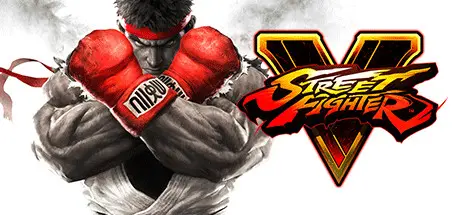
Street Fighter V

Featured Replies

Street Fighter V cover art

Street Fighter V Game Details

Release Name: Street Fighter V

Game Version: Build 13173604

Release Date: 15 Feb, 2016

Publisher: CAPCOM Co., Ltd.

Developer: CAPCOM Co., Ltd.

Based On: CSF & CODEX

Street Fighter V Direct Download - Game Overview

Experience the intensity of head-to-head battle with Street Fighter® V! Choose from 16 iconic characters, each with their own personal story and unique training challenges, then battle against friends online or offline with a robust variety of match options.

Earn Fight Money in Ranked Matches, play for fun in Casual Matches or invite friends into a Battle Lounge and see who comes out on top! PlayStation 4 and Steam players can also play against each other thanks to cross-play compatibility!

This version of Street Fighter V displays the “Arcade Edition” title screen and includes Arcade Mode, Team Battle Mode and the online-enabled Extra Battle Mode, where you can earn rewards, XP and Fight Money! Fight Money can be used to purchase additional characters, costumes, stages and more!


Street Fighter V Screenshots

Street Fighter V screenshot 1 Street Fighter V screenshot 2 Street Fighter V screenshot 3 Street Fighter V screenshot 4


Street Fighter V Trailer


Street Fighter V System Requirements

Minimum Requirements

Recommended Requirements

OS

Windows 7 64-bit

WINDOWS® 7, 8, 8.1, 10 (64-BIT Required)

Processor

Intel Core i3-4160 @ 3.60GHz

Intel Core i5-4690K @3.50GHz or AMD FX-9370

Memory

6 GB RAM

8 GB RAM

Graphics

NVIDIA® GeForce® GTX 480, GTX 570, GTX 670, or better

NVIDIA® GeForce® GTX 960 or AMD Radeon R7 370

DirectX

Version 11

Version 11

Storage

-

-


How to Install Street Fighter V

  1. No Installation Needed: The game is pre-installed. Just download and extract.

  2. Extract: Right-click the .zip or .rar file and select "Extract Here" or "Extract to folder".

  3. Run: Find StreetFighterV.exe inside the folder and run it.

Game Data & Settings

  • Change Language: Edit the file located at steam_settings/Configs.user.ini

  • Save Data Location: %USERPROFILE%/AppData/Local/StreetFighterV/Saved/SaveGames

Important Notes

🔥DOWNLOAD AREA🔥

🔹52.23 GB🔹

Select the server you want to download with ZeiLink.

Download CrackFix and apply main game folder.

Download

  • Replies 5
  • Views 1.1k
  • Created
  • Last Reply

Top Posters In This Topic

Posted Images

  • 4 weeks later...

hey, i dont know how i can fix the dlcs, idk where i put it to work

Create an account or sign in to comment

Recently Browsing 0

  • No registered users viewing this page.

Account

Navigation

Search

Search

🔎 Search Tip
For exact results, search using "game name" .
Without quotes, results may include unrelated titles.

Configure browser push notifications

Chrome (Android)
  1. Tap the lock icon next to the address bar.
  2. Tap Permissions → Notifications.
  3. Adjust your preference.
Chrome (Desktop)
  1. Click the padlock icon in the address bar.
  2. Select Site settings.
  3. Find Notifications and adjust your preference.
