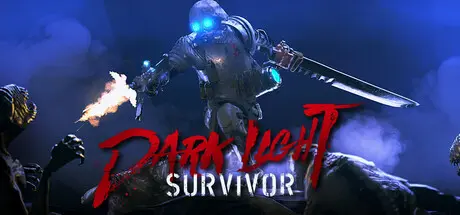
May 25May 25 Dark Light: Survivor Game DetailsRelease Name: Dark Light: SurvivorGame Version: v0.1.5 | Build 23363286Release Date: 14 May, 2026Publisher: Mirari&Co.Developer: Mirari&Co.Based On: CSF & GoldbergDark Light: Survivor Direct Download - Game OverviewDark Light: Survivor is a roguelike survival game where you play as one of the last humans, journeying through a shattered multiverse in search of the fabled Elysium.The Dark Void has unleashed horrific creatures that decimated humanity and fractured the multiverse. Amidst this chaos, a legend speaks of an Elysium untouched by the darkness.The remnants of humanity have uncovered celestial quantum technology, using it to construct the Phantom Train, capable of traversing the multiverse.As a Dark Hunter, you are aboard the Phantom Train, hoping to reach Elysium. In each universe, you must collect energy to power the train for the next leap. Prepare yourself to face increasingly terrifying and powerful creatures, for the journey is perilous, and Elysium remains elusive.Dark Light: Survivor Screenshots Dark Light: Survivor TrailerDark Light: Survivor System Requirements Minimum RequirementsRecommended Requirements OSWindows 10/11Windows 10/11 ProcessorIntel(R) Core(TM) i7-5820K CPU @ 3.30GHz or similarIntel(R) Core(TM) i7-5820K CPU @ 3.30GHz or similar Memory16 GB RAM32 MB RAM GraphicsGeforce RTX 2070 or betterNVIDIA GeForce RTX 3070 or better DirectX-- Storage20 GB available space20 GB available space How to Install Dark Light: SurvivorNo Installation Needed: The game is pre-installed. Just download and extract.Extract: Right-click the .zip or .rar file and select "Extract Here" or "Extract to folder".Run: Find DLS.exe inside the folder and run it.Game Data & SettingsChange Language: Edit the file located at steam_settings/Configs.user.iniSave Data Location: %USERPROFILE%/AppData/LocalLow/Mirari_/DLSImportant NotesTo support the Game Developer, Get It On Steam.🔥DOWNLOAD AREA🔥🔹8.77 GB🔹Select the server you want to download with ZeiLink.Download





Create an account or sign in to comment