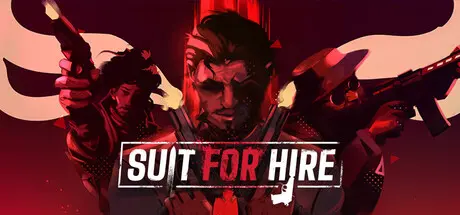
May 24May 24 Suit for Hire Game DetailsRelease Name: Suit for HireGame Version: v1.0.15 | Build 21833945Release Date: 20 Jun, 2025Publisher: Godmode InteractiveDeveloper: Godmode InteractiveBased On: CSF & GoldbergSuit for Hire Direct Download - Game OverviewSuit for Hire is a thrilling top-down (and third person) action shooter that combines strategic gunplay with intense martial arts combat. Dive into a world of exquisitely executed violence as you navigate through adrenaline-pumping missions.In Suit for Hire, you'll step into the shoes of a highly skilled assassin, taking on dangerous contracts in a variety of stunning locations. With a limited supply of ammo and resources, you'll need to outsmart and outmaneuver your enemies to survive. Utilize a wide array of weapons at your disposal, including pistols, shotguns, and assault rifles, but it's not just about firepower- masterful martial arts moves will allow you to take down foes in stylish and brutal ways.Top down and Third person mode, easily switchable at any point in the gameTons of levels, chapters and Arena levels to put your skills to the testFinishers, melee combat and action movie movesUse different weapons and tools to your disposalSuit for Hire Screenshots Suit for Hire TrailerSuit for Hire System Requirements Minimum RequirementsRecommended Requirements OSWindows 7/8/10 64-bitWindows 10 64-bit ProcessorIntel i5-3570 @ 3.4GHzIntel i7-4770 @ 3.9GHz Memory4 GB RAM8 GB RAM GraphicsNVIDIA GeForce GTX 550TiNVIDIA GeForce GTX 970 DirectXVersion 11Version 11 Storage2 GB available space3 GB available space How to Install Suit for HireNo Installation Needed: The game is pre-installed. Just download and extract.Extract: Right-click the .zip or .rar file and select "Extract Here" or "Extract to folder".Run: Find ThinWick.exe inside the folder and run it.Game Data & SettingsChange Language: Edit the file located at steam_settings/Configs.user.iniSave Data Location: %USERPROFILE%/AppData/Local/ThinWick/Saved/SaveGames/Important NotesTo support the Game Developer, Get It On Steam.🔥DOWNLOAD AREA🔥🔹3.42 GB🔹Select the server you want to download with ZeiLink.Download





Create an account or sign in to comment