



Skip to content
View in the app

A better way to browse. Learn more.

ZeiGames

A full-screen app on your home screen with push notifications, badges and more.

To install this app on iOS and iPadOS
  1. Tap the Share icon in Safari
  2. Scroll the menu and tap Add to Home Screen.
  3. Tap Add in the top-right corner.
To install this app on Android
  1. Tap the 3-dot menu (โ‹ฎ) in the top-right corner of the browser.
  2. Tap Add to Home screen or Install app.
  3. Confirm by tapping Install.

Tales of Zestiria Free Download (Build 884337 + ALL DLC)
Featured Replies

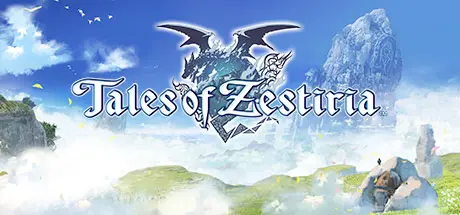
header.webp

Game Details

Release Name:ย Tales of Zestiria

Game Version:ย Build 884337

Release Date: 19 Oct, 2015

Publisher: BANDAI NAMCO Entertainment

Developer: BANDAI NAMCO Studio Inc.

Based On:ย CSF & sst311212 TZF Fix

Tales of Zestiria Direct Download - Game Review

Hold on to what you strive for!

In a world torn by war between two powerful nations fighting for rule and supremacy, accept the burden of the Sheperd and fight human darkness to protect your world from Malevolence and reunite humans and Seraphim.
Together with Lailah, the Lady of the Lake who guards the Sacred Blade, and his best friend Mikleo, the cast will discover soon enough a powerful force is rising in the shadow.

  • Tumble into Sorey's epic journey set in a Medieval fantasy world with beautiful animations realized by the famous animation studio ufotable.

  • Discover diversified and huge environements throughout your adventure with the help of Seraphim

  • Advanced Battle System with fusions between Sorey and Seraphim. the battle scenes are now seamlessly integrated into the environements with no more load screens or transition


Game Screenshots

screenshot screenshot screenshot screenshot


Game Trailer


System Requirements

Minimum Requirements

Recommended Requirements

OS

Windows Vista, 7, 8, 10

Windows 7 (x64) / Windows 8 (x64) / Windows 10 (x64)

Processor

Intel Core 2 Duo 2.4Ghz / AMD Athlon 64 X2 5200+, 2.6GHz

Intel Core i3-530, 2.93 GHz / AMD Phenom II X4 940, 3.0GHz

Memory

2 GB RAM

4 GB RAM

Graphics

Nvidia GeForce 8800GT / ATI Radeon HD 4830 or equivalent

Nvidia GeForce GTX 560 Ti / AMD Radeon HD 7850 or equivalent

DirectX

Version 9.0c

Version 9.0c

Storage

12 GB available space

12 GB available space


Installation Guide

  1. No Installation Needed: The game is pre-installed. Just download and extract.

  2. Extract: Right-click the .zip or .rar file and select "Extract Here" or "Extract to folder".

  3. Run: Find Tales of Zestiria.exe inside the folder and run it.

Game Data & Settings

  • Change Language: Edit the file located at steam_api.ini

Important Notes

DLC List

Added DLCs

Tales of Zestiria - Additional Chapter: Alisha's Story

Tales of Zestiria - School Costume Set

Tales of Zestiria - Idolmaster Costume Set

Tales of Zestiria - Evangelion Costume Set

Tales of Zestiria - Attachments Set

Tales of Zestiria - God Eater free offer

Tales of Zestiria - Seaside Resort Costumes Set

Tales of Zestiria - Free Skits Pack

Tales of Zestiria - Adventure Items

Tales of Zestiria - Mystic Artes

Tales of Zestiria - Pre-order items

Tales Of Zestiria -Tales of Characters Costume Set (Female)

Tales Of Zestiria -Tales of Characters Costume Set (Male)

Tales Of Zestiria - Tales of Weapons

๐Ÿ”ฅDOWNLOAD AREA๐Ÿ”ฅ

๐Ÿ”น11.07 GB๐Ÿ”น

Select the server you want to download with ZeiLink.

Download

  • Views 526
  • Created
  • Last Reply

Posted Images

Create an account or sign in to comment

Recently Browsing 0

  • No registered users viewing this page.

Account

Navigation

Search

Search

๐Ÿ”Ž Search Tip
For exact results, search using "game name" .
Without quotes, results may include unrelated titles.

Configure browser push notifications

Chrome (Android)
  1. Tap the lock icon next to the address bar.
  2. Tap Permissions โ†’ Notifications.
  3. Adjust your preference.
Chrome (Desktop)
  1. Click the padlock icon in the address bar.
  2. Select Site settings.
  3. Find Notifications and adjust your preference.
