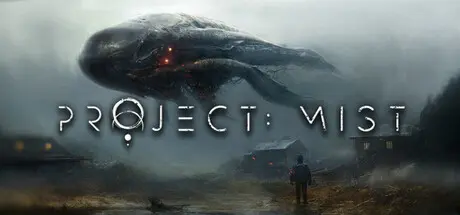
May 22May 22 Project: Mist Game DetailsRelease Name: Project: MistGame Version: v0.1.K | Build 23339767Release Date: 19 May, 2026Publisher: Chicken LauncherDeveloper: Chicken LauncherBased On: CSF & GoldbergProject: Mist Direct Download - Game OverviewJump in and face the consequences of your actions as you fight to survive in a harsh, unpredictable world.Every decision has impact, and mistakes can cost you progress, resources, or your life.Take on a story-driven campaign alone or with friends, adapting your strategy to survive together.Coordinate roles, share resources, and react in real time as situations escalate.Venture across an open world filled with abandoned, mysterious facilities, strange ecosystems, and hidden threats.Each location introduces new challenges, from environmental hazards to unexpected encounters.Prepare, adapt, or run. Every encounter tests your planning, skill, or teamwork.Learn behavior patterns, exploit weaknesses, and use the environment to survive.Use the Gravity Gun to move objects, control space, and turn the environment into a weapon.Grab, throw, and manipulate enemies or debris to create your own solutions in combat and traversal.Project: Mist Screenshots Project: Mist TrailerProject: Mist System Requirements Minimum RequirementsRecommended Requirements OSWindows 10/11 64-bit- Processor3.2 GHz Dual Core Processor- Memory8 GB RAM- GraphicsGTX 750 / Radeon HD 7770- DirectXVersion 11- Storage20 GB available space- How to Install Project: MistNo Installation Needed: The game is pre-installed. Just download and extract.Extract: Right-click the .zip or .rar file and select "Extract Here" or "Extract to folder".Run: Find ProjectMist.exe inside the folder and run it.Multiplayer & Online (Optional)Play Online: Download the Online Fix file and apply it to the game folder.Please go to the online fix page and read the guide.Game Data & SettingsChange Language: Edit the file located at steam_settings/Configs.user.iniSave Data Location: %USERPROFILE%/AppData/LocalLow/Chicken Launcher\ProjectMistImportant NotesTo support the Game Developer, Get It On Steam.🔥DOWNLOAD AREA🔥🔹9.89 GB🔹Select the server you want to download with ZeiLink.DownloadOnline Fix - (RAR pass: zeigames.com)





Create an account or sign in to comment