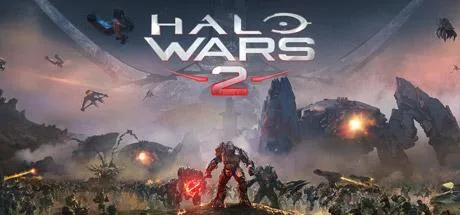
May 20May 20 Halo Wars 2 Game DetailsRelease Name: Halo Wars 2Game Version: v1.11.2931.2Release Date: 15 Nov, 2021Publisher: Microsoft StudiosBased On: OFMEHalo Wars 2 Direct Download - Game OverviewIt’s the Halo experience you’ve dreamed of – controlling entire armies of Marines, Warthogs, Scorpion tanks, and Spartans on the battlefield from the Commander’s point of view. Halo Wars 2 is a real-time strategy game playable in native 4K Ultra HD graphics with HDR on the Xbox One X and Windows 10. Halo Wars 2 also supports Xbox Play Anywhere: Buy once, play on both Xbox and Windows 10. All-new, Action-packed Story – The heroes of Halo Wars awake to find themselves - and the galaxy - in more danger than ever. Following the events of Halo 5, the all-new story is told in action-packed missions set on the legendary Halo destination known as the Ark. Players will command overwhelming firepower in large-scale battles against a terrifying threat facing the UNSC and all of humanity. Build Your Halo Army – Construct your bases, prepare your vehicles and amass your troops. Lead them into huge battles across campaign skirmish matches against the AI, and with and against friends in up to 3v3 matches on Xbox Live. Learn new strategies as you play as different leaders across Blitz and Multiplayer game modes.Halo Wars 2 Screenshots Halo Wars 2 TrailerHalo Wars 2 System RequirementsMinimum RequirementsRecommended RequirementsOSWindows 10 RS5 x64Windows 10 19H2 x64ProcessorIntel i5-2500, AMD FX-4350Intel Core i5-4690K, AMD FX-8350Memory6 GB RAM8 GB RAMGraphicsnVidia GeForce GTX 650 Ti, AMD Radeon HD 7750, Intel HD 520nVidia GTX 1060, AMD RX 480DirectXVersion 12Version 12Storage50 GB available space50 GB available spaceHow to Install Halo Wars 2Run the UWP_Helper.bat file located in the folder with the game (run once).Enable Developer Mode (restart the computer if necessary) (run once)Before enabling developer mode, read what it is on the internet.Install the game (run it once)Disable Developer Mode (run once)Launch the game via the start menu.🔥DOWNLOAD AREA🔥🔹31.64 GB🔹Select the server you want to download with ZeiLink.Download
May 21May 21 Author 21 minutes ago, manuelaus said:i can't enable developer mode, is not pre-installed?Run GDK_Helper.bat admin.
August 27Aug 27 Is there a crack like the other one that's already installed? I don't have admin permissions on the PC I want to play oni don't care if its not online





Create an account or sign in to comment