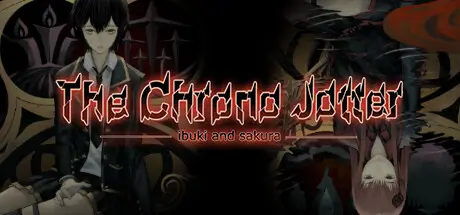
May 17May 17 The Chrono Jotter Game DetailsRelease Name: The Chrono JotterGame Version: Build 13762041Release Date: 25 Aug, 2021Publisher: 2P Games, Orca LayoutDeveloper: Orca LayoutBased On: CSF & GoldbergThe Chrono Jotter Direct Download - Game OverviewYears ago, Ann Sakura—your girlfriend—vanished without a trace. Now, high school student Ran Ibuki is trapped in a derelict forest school where classmates are being brutally murdered. To escape and reunite with Ann, Ran must unmask the killer... and harness a desperate new power: rewinding time after every death.But each loop reveals darker secrets. Can you save everyone—or will the truth destroy everything?Die and rewind: Return to before each murder with clues intact, altering events to prevent deaths.Deduce the killer: Interrogate suspects, spot inconsistencies, and connect clues across timelines.Multiple endings: Your choices shape the story—uncover the full truth through replays.Deceptive classmates: The sweetest friend or popular idol could be the psychopath.Mind-bending twists: Vanishing rooms, haunting footsteps, silkworm cocoons trapping you... Is it real, or a hallucination?Deep yuri romance: Piece together Ran and Ann's emotional bond amid the terror.The Chrono Jotter Screenshots The Chrono Jotter TrailerThe Chrono Jotter System Requirements Minimum RequirementsRecommended Requirements OSWindows Vista/7/8/10Windows Vista/7/8/10 Processor1.6Ghz Single Core1.6Ghz Single Core Memory1 GB RAM2 GB RAM Graphics1280 x 720 or Greater Resolution1280 x 720 or Greater Resolution DirectX-- Storage6 GB available space10 GB available space How to Install The Chrono JotterNo Installation Needed: The game is pre-installed. Just download and extract.Extract: Right-click the .zip or .rar file and select "Extract Here" or "Extract to folder".Run: Find The Chrono Jotter.exe inside the folder and run it.Game Data & SettingsChange Language: Edit the file located at steam_settings/Configs.user.iniSave Data Location: Ibuki and the Chrono Jotter/savedataImportant NotesTo support the Game Developer, Get It On Steam.🔥DOWNLOAD AREA🔥🔹5.31 GB🔹Select the server you want to download with ZeiLink.Download





Create an account or sign in to comment