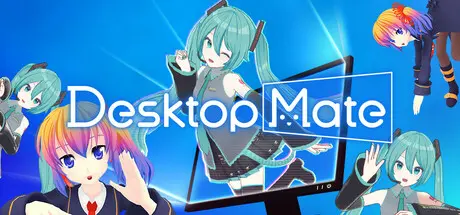
May 15May 15 Desktop Mate Game DetailsRelease Name: Desktop MateGame Version: Build 22985456Release Date: 7 Jan, 2025Publisher: infiniteloopDeveloper: infiniteloopBased On: CSF & GoldbergDesktop Mate Direct Download - Game OverviewCustomize your PC with officially licensed, super-cute characters using the next-generation desktop mascot platform Desktop Mate. Powered by the latest 3D technology, characters roam your desktop, sitting on windows, jumping between them, and playfully interacting with your mouse.Desktop Mate is a customizable platform that lets users add a wide variety of cute characters to their desktop environment. The core software is free, but you can further personalize your desktop by purchasing additional characters. Popular characters will continue to appear as officially licensed DLC in the future, so stay tuned!Desktop Mate is designed with one goal in mind: bringing out the full charm of your favorite characters. That’s why we’ve kept it simple—stripping away unnecessary features to create a clean, easy-to-use experience.Characters move gracefully across your desktop, sitting adorably on windows or gently hopping between them with lifelike motion.They’ll play with your mouse, follow your cursor, and react in irresistibly cute ways.Connect Desktop Mate to your alarms and turn time management into a delightful daily routine.Every feature is carefully crafted to ensure the characters never get in your way—so you can enjoy them for hours on end, without distraction. Whether you're working, studying, or just relaxing, Desktop Mate is your perfect digital companion.Desktop Mate Screenshots Desktop Mate TrailerDesktop Mate System Requirements Minimum RequirementsRecommended Requirements OSWindows 10 64bit / Windows 11 64bitWindows 11 64bit ProcessorIntel Core i5-8250U 1.6GHz / AMD Ryzen 3 3300UIntel Core i5-11400 2.6GHz / AMD Ryzen 5 3600 Memory8 GB RAM16 GB RAM GraphicsIntel UHD Graphics 730 / Radeon VEGA 8NVIDIA GeForce GTX 750 / AMD Radeon RX550 / Intel Iris Xe Graphics / Radeon VEGA 11 DirectX-- Storage500 MB available space4 GB available space How to Install Desktop MateNo Installation Needed: The game is pre-installed. Just download and extract.Extract: Right-click the .zip or .rar file and select "Extract Here" or "Extract to folder".Run: Find DesktopMate.exe inside the folder and run it.Game Data & SettingsChange Language: Edit the file located at steam_settings/Configs.user.iniImportant NotesTo support the Game Developer, Get It On Steam.DLC ListAdded DLCsDesktop Mate 音街ウナ DLC (Desktop Mate Otomachi Una DLC)Desktop Mate 琴葉葵 DLC (Desktop Mate Kotonoha Aoi DLC)Desktop Mate 琴葉茜 DLC (Desktop Mate Kotonoha Akane DLC)Desktop Mate 東方Project ゆっくり魔理沙 DLC (Desktop Mate Touhou Project Yukkuri Marisa DLC)Desktop Mate 東方Project ゆっくり霊夢 DLC (Desktop Mate Touhou Project Yukkuri Reimu DLC)Desktop Mate マイメロディ DLC (Desktop Mate MY MELODY DLC)Desktop Mate ハローキティ DLC (Desktop Mate HELLO KITTY DLC)Desktop Mate クロミ DLC (Desktop Mate KUROMI DLC)Desktop Mate ポチャッコ DLC (Desktop Mate POCHACCO DLC)Desktop Mate シナモロール DLC (Desktop Mate CINNAMOROLL DLC)Desktop Mate ポムポムプリン DLC (Desktop Mate POMPOMPURIN DLC)Desktop Mate 雪ミク「JRタワー Ver.」 DLC (Desktop Mate SNOW MIKU JR Tower Ver. DLC)Desktop Mate 仕事猫 DLC (Desktop Mate Work Cat DLC)Desktop Mate GUMI DLCDesktop Mate 雪ミク「SNOW MIKU 2026 Ver.」DLC (Desktop Mate SNOW MIKU 2026 Ver. DLC)Desktop Mate 鏡音レン DLC (Desktop Mate Kagamine Len DLC)Desktop Mate 鏡音リン DLC (Desktop Mate Kagamine Rin DLC)Desktop Mate 紲星あかり DLC (Desktop Mate Kizuna Akari DLC)Desktop Mate 東方Project 霧雨魔理沙 DLC (Desktop Mate Touhou Project Kirisame Marisa DLC)Desktop Mate 東方Project 博麗霊夢 DLC (Desktop Mate Touhou Project Hakurei Reimu DLC)Desktop Mate 結月ゆかり DLC (Desktop Mate Yuzuki Yukari DLC)Desktop Mate 花隈千冬 DLC (Desktop Mate Hanakuma Chifuyu DLC)Desktop Mate NEEDY GIRL OVERDOSE あめちゃん DLC (Desktop Mate NEEDY STREAMER OVERLOAD Ame-chan DLC)Desktop Mate NEEDY GIRL OVERDOSE 超絶最かわてんしちゃん DLC (Desktop Mate NEEDY STREAMER OVERLOAD OMGkawaiiAngel DLC)NieR:Automata ヨルハ二号B型 DLC (NieR:Automata YoRHa No.2 Type B DLC)夏色花梨 DLC (Natsuki Karin DLC)巡音ルカ DLC (Megurine Luka DLC)初音ミク「マジカルミライ2025 Ver.」DLC (Hatsune Miku MAGICAL MIRAI 2025 Ver. DLC)雀魂「ちび一姫」DLC (Mahjong Soul Chibi Ichihime DLC)小春六花 DLC (Koharu Rikka DLC)重音テト DLC (Kasane Teto DLC)ずんだもん DLC (Zundamon DLC)雪ミク「SNOW MIKU 2025 Ver.」 DLC (SNOW MIKU 2025 Ver. DLC)初音ミク DLC (Hatsune Miku DLC)🔥DOWNLOAD AREA🔥🔹393 MB🔹Select the server you want to download with ZeiLink.Download
Saturday at 01:39 PM2 days Administrator, please update.Additionally, there is a similar app called Mate engine, can you upload it to??https://store.steampowered.com/app/3625270/MateEngine/ Edited Saturday at 01:44 PM2 days by sruthi18





Create an account or sign in to comment