



Skip to content
View in the app

A better way to browse. Learn more.

ZeiGames

A full-screen app on your home screen with push notifications, badges and more.

To install this app on iOS and iPadOS
  1. Tap the Share icon in Safari
  2. Scroll the menu and tap Add to Home Screen.
  3. Tap Add in the top-right corner.
To install this app on Android
  1. Tap the 3-dot menu (⋮) in the top-right corner of the browser.
  2. Tap Add to Home screen or Install app.
  3. Confirm by tapping Install.

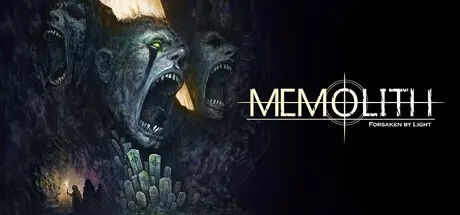
MEMOLITH: Forsaken by Light Free Download (v1.0.2)
Featured Replies

header.webp

Game Details

Release Name: MEMOLITH: Forsaken by Light

Game Version: v1.0.2 | Build 23190334

Release Date: 27 Apr, 2026

Publisher: Webzen

Developer: Black Anchor

Based On: CSF & Goldberg

MEMOLITH: Forsaken by Light Direct Download - Game Review

‘MEMOLITH: Forsaken by Light’ is a turn-based tactical RPG that focuses on the thrill of overcoming absurdly dangerous situations through the player’s wits.

In the apocalyptic world where dozens, sometimes hundreds, of monsters swarm at once, the player can only send out three expedition members at a time.

In this world without guns or magic, the expedition must rely solely on cold weapons and meticulous tactics to survive and restore the city's light.

  • The once exuberant medieval city of REMORE, now in ruins after being swept away by monsters, is depicted in over 80 stages using vivid pixel art, and the expedition can directly explore the city connected by winding paths.

  • In stages with distinct themes, such as the Pleasure District, Guild District, Military District, and Great Basilica, you must understand and adapt to the characteristics of monsters that attack with different abilities each time in order to survive.

  • The "Dark Shroud" that swept through the city after the destruction of the sacred relic 'Memolith' devoured most of the living, turning them into monsters. However, even amidst this, there are those who still burn with the will to live.

  • Meet characters with completely different personalities: a shield-wielding Royal Guard, a supportive Arbalist, a Barbarian who sweeps away enemies with a two-handed weapon, a Shadow Sister who moves stealthily while concealing herself, and a heretic Inquisitor who stands firm and slaughters enemies with a two-handed mace.

  • The fragments of the 'Memolith' that have been destroyed contain the memories of the dead REMORE people, and by 'binding' these memories, you can inherit the abilities they displayed in life.

  • Collect over 130 unique "Memolith Fragments" with unique abilities to customize your Survivors' abilities. Equip your favorite characters with weapons crafted by the "Blacksmith," creating your own unique combination of weapons, skills, and characters.


Game Screenshots

screenshot screenshot screenshot screenshot


Game Trailer


System Requirements

Minimum Requirements

Recommended Requirements

OS

Windows 7

-

Processor

i5-750 or equivalent

-

Memory

4 GB RAM

-

Graphics

Nvidia GTX 750 or equivalent

-

DirectX

-

-

Storage

400 MB available space

-


Installation Guide

  1. No Installation Needed: The game is pre-installed. Just download and extract.

  2. Extract: Right-click the .zip or .rar file and select "Extract Here" or "Extract to folder".

  3. Run: Find MEMOLITH - Forsaken by Light.exe inside the folder and run it.

Game Data & Settings

  • Change Language: Edit the file located at steam_settings/Configs.user.ini

  • Save Data Location: %USERPROFILE%/AppData/Roaming/REMORE - Infested Kingdom

Important Notes

🔥DOWNLOAD AREA🔥

🔹667 MB🔹

Select the server you want to download with ZeiLink.

Download

  • Replies 1
  • Views 557
  • Created
  • Last Reply

Top Posters In This Topic

Posted Images

Create an account or sign in to comment

Recently Browsing 0

  • No registered users viewing this page.

Account

Navigation

Search

Search

🔎 Search Tip
For exact results, search using "game name" .
Without quotes, results may include unrelated titles.

Configure browser push notifications

Chrome (Android)
  1. Tap the lock icon next to the address bar.
  2. Tap Permissions → Notifications.
  3. Adjust your preference.
Chrome (Desktop)
  1. Click the padlock icon in the address bar.
  2. Select Site settings.
  3. Find Notifications and adjust your preference.
