



Skip to content
View in the app

A better way to browse. Learn more.

ZeiGames

A full-screen app on your home screen with push notifications, badges and more.

To install this app on iOS and iPadOS
  1. Tap the Share icon in Safari
  2. Scroll the menu and tap Add to Home Screen.
  3. Tap Add in the top-right corner.
To install this app on Android
  1. Tap the 3-dot menu (โ‹ฎ) in the top-right corner of the browser.
  2. Tap Add to Home screen or Install app.
  3. Confirm by tapping Install.

Combat Mission Black Sea Free Download (v2.18 + Battle Pack DLC)
Featured Replies

header.webp

Game Details

Release Name:ย Combat Mission Black Sea

Game Version:ย v2.18

Release Date: 21 Jan, 2021

Publisher: Matrix Games

Developer: Battlefront

Based On:ย GOG

Combat Mission Black Sea Direct Download - Game Review

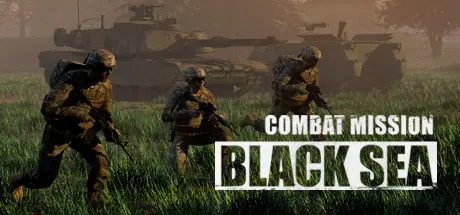
Combat Mission Black Sea is a military grade simulation depicting a fictional series of escalations between Russian and Ukraine which results in open conflict in the summer of 2017. As Russian forces move into Ukrainian territory the Ukrainians do their best to defend their country against a numerically and technologically superior adversary. Events surrounding the invasion cause NATO to send its advanced rapid deployment forces to check the Russian advance. A brutal scenario, for sure, but one which allows you to get a glimpse of what full spectrum contemporary near-peer tactical warfare is all about.

At your command are detailed, highly researched American, Ukrainian, and Russian units from common brigade types such as Mech Infantry, Motor Rifle, Stryker, Armored, and more. All the capabilities one expects on the modern battlefield are included, such as Active Protection Systems (APS) swatting incoming threats, UAVs hovering around the battlefield transmitting valuable intel, and precision guided artillery munitions that find their mark in one shot. Well, as long as the enemy's electronic warfare attempts fail, otherwise you might find your finely tuned fighting machine isn't so finely tuned after all. Take all of this for a spin with four high-stakes campaigns, 22 standalone scenarios, and a plethora of Quick Battle maps to test your tactical acumen.

- Tactical warfare at battalion and below scale in a true 3D environment
- Command individual vehicles, teams, and squads
- Expansive simulation of "soft factors" such as Morale, Experience, and Leadership
- Innovative systems portraying Fog of War, Spotting, Line of Sight, Command & Control, and Objectives
- Unmatched realistic physics, ballistics, and battlefield effects
- Fight in a wide range of weather and lighting conditions, all of which realistically impact fighting abilities
- Unique hybrid system for RealTime or WeGo (turn based) play
- Full featured Editor for maps, scenarios, and campaigns
- Quick Battle system sets up deliberate or randomized battles based on player specifications
- Single player and head to head play, including Play By Email (PBEM)
- Supported for the long haul with patches, upgrades, and expansions


Game Screenshots

screenshot screenshot screenshot screenshot


Game Trailer


System Requirements

Minimum Requirements

Recommended Requirements

OS

Windows 8

Windows 10

Processor

Pentium IV 1.8 GHz or equivalent speed AMD

Pentium IV 2.8 GHz or equivalent speed AMD processor or better

Memory

4 GB RAM

8 GB RAM

Graphics

256 MB VRAM or better and must support 1024x768 or higher resolution in OpenGL

1 GB VRAM or better and must support 1024x768 or higher resolution in OpenGL

DirectX

-

-

Storage

13 GB available space

14 GB available space


Installation Guide

  1. No Installation Needed: The game is pre-installed. Just download and extract.

  2. Extract: Right-click the .zip or .rar file and select "Extract Here" or "Extract to folder".

  3. Run: Find CM Black Sea.exe inside the folder and run it.

Important Notes

DLC List

Added DLCs

Combat Mission Black Sea - Battle Pack

๐Ÿ”ฅDOWNLOAD AREA๐Ÿ”ฅ

๐Ÿ”น2.63 GB๐Ÿ”น

Select the server you want to download with ZeiLink.

Download

  • Views 626
  • Created
  • Last Reply

Posted Images

Create an account or sign in to comment

Recently Browsing 0

  • No registered users viewing this page.

Account

Navigation

Search

Search

๐Ÿ”Ž Search Tip
For exact results, search using "game name" .
Without quotes, results may include unrelated titles.

Configure browser push notifications

Chrome (Android)
  1. Tap the lock icon next to the address bar.
  2. Tap Permissions โ†’ Notifications.
  3. Adjust your preference.
Chrome (Desktop)
  1. Click the padlock icon in the address bar.
  2. Select Site settings.
  3. Find Notifications and adjust your preference.
