



Skip to content
View in the app

A better way to browse. Learn more.

ZeiGames

A full-screen app on your home screen with push notifications, badges and more.

To install this app on iOS and iPadOS
  1. Tap the Share icon in Safari
  2. Scroll the menu and tap Add to Home Screen.
  3. Tap Add in the top-right corner.
To install this app on Android
  1. Tap the 3-dot menu (โ‹ฎ) in the top-right corner of the browser.
  2. Tap Add to Home screen or Install app.
  3. Confirm by tapping Install.

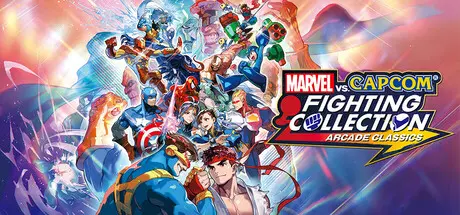
MARVEL vs. CAPCOM Fighting Collection: Arcade Classics Free Download (v1.0.0.4 + Online)
Featured Replies

header.webp

Game Details

Release Name:ย MARVEL vs. CAPCOM Fighting Collection: Arcade Classics

Game Version:ย v1.0.0.4 | Build 18370838

Release Date: 11 Sep, 2024

Publisher: CAPCOM Co., Ltd.

Developer: CAPCOM Co., Ltd.

Based On:ย CSF & Goldberg

MARVEL vs. CAPCOM Fighting Collection: Arcade Classics Direct Download - Game Review

The legendary crossover hits are back!
Jump into this collection of arcade classics from the fan-favorite Marvel and Capcom crossover games!

Dive into an action-packed lineup consisting of seven unique titles, including heavy hitters like X-MEN VS. STREET FIGHTER, and MARVEL vs. CAPCOM 2 New Age of Heroes. The collection also includes the rare beat 'em up game, THE PUNISHER.

Each game in the collection can be played online or co-op!
Whether you're new to the series or you played back in the arcades, players of all levels can enjoy these timeless classics together!

- Smooth Online Play!
Compete in heated ranked battles or play for fun in casual matches. Create a lobby with friends and battle head-to-head, play co-op, or spectate other matches.
However you choose to play, rollback netcode makes the experience smooth and fun!
A High Score Challenge mode is also available. Aim for the top of the global leaderboards!

- No Experience? No Problem!
This collection boasts a number of beginner-friendly features such as adjustable difficulty levels, One Button Specials, and training modes.
Plus, players can save and load their progress almost anywhere and pick up right where they left off.

- Additional Features!
Players can view more than 500 pieces of artwork from all 7 titles along with never-before-seen development documents used to make the original games.
The Music feature contains over 200 tracks from the original arcade games that players can listen to at any time!


Game Screenshots

screenshot screenshot screenshot screenshot


Game Trailer


System Requirements

Minimum Requirements

Recommended Requirements

OS

Windows10 (64-BIT Required) / Windows11 (64-BIT Required)

Windows10 (64-BIT Required) / Windows11 (64-BIT Required)

Processor

Intelโ“‡ Coreโ„ข i5-3470, AMD FX-6100

Intelโ“‡ Coreโ„ข i5-4460, AMD FX-8300 (or better)

Memory

4 GB RAM

4 GB RAM

Graphics

NVIDIAยฎ: GeForceยฎ GTX 470 with 1.2GB Video RAM, AMD: Radeonโ„ข R7 260x with 2GB Video RAM

NVIDIAยฎ: GeForceยฎ GTX 970 with 4GB Video RAM, AMD: Radeonโ„ข RX480 with 4GB Video RAM

DirectX

Version 11

Version 11

Storage

4 GB available space

4 GB available space


Installation Guide

  1. No Installation Needed: The game is pre-installed. Just download and extract.

  2. Extract: Right-click the .zip or .rar file and select "Extract Here" or "Extract to folder".

  3. Run: Find Launcher.exe inside the folder and run it.

Multiplayer & Online (Optional)

  • Play Online: Download the Online Fix file and apply it to the game folder.

  • Please go to the online fix page and read the guide.

Game Data & Settings

  • Change Language: Edit the file located at steam_settings/Configs.user.ini

Important Notes

๐Ÿ”ฅDOWNLOAD AREA๐Ÿ”ฅ

๐Ÿ”น3.36 GB๐Ÿ”น

Select the server you want to download with ZeiLink.

Download

Online Fix - (RAR pass: rexagames.com)

  • Replies 1
  • Views 572
  • Created
  • Last Reply

Top Posters In This Topic

Posted Images

Create an account or sign in to comment

Recently Browsing 0

  • No registered users viewing this page.

Account

Navigation

Search

Search

๐Ÿ”Ž Search Tip
For exact results, search using "game name" .
Without quotes, results may include unrelated titles.

Configure browser push notifications

Chrome (Android)
  1. Tap the lock icon next to the address bar.
  2. Tap Permissions โ†’ Notifications.
  3. Adjust your preference.
Chrome (Desktop)
  1. Click the padlock icon in the address bar.
  2. Select Site settings.
  3. Find Notifications and adjust your preference.
