



Skip to content
View in the app

A better way to browse. Learn more.

ZeiGames

A full-screen app on your home screen with push notifications, badges and more.

To install this app on iOS and iPadOS
  1. Tap the Share icon in Safari
  2. Scroll the menu and tap Add to Home Screen.
  3. Tap Add in the top-right corner.
To install this app on Android
  1. Tap the 3-dot menu (⋮) in the top-right corner of the browser.
  2. Tap Add to Home screen or Install app.
  3. Confirm by tapping Install.

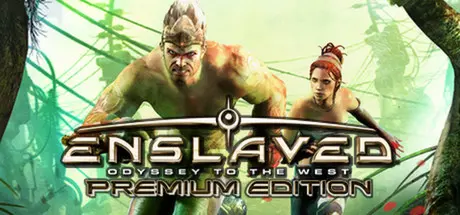
ENSLAVED: Odyssey to the West Premium Edition Free Download (Build 159687)
Featured Replies

header.webp

Game Details

Release Name: ENSLAVED: Odyssey to the West Premium Edition

Game Version: Build 159687

Release Date: 24 Oct, 2013

Publisher: BANDAI NAMCO Entertainment

Developer: Ninja Theory

Based On: CSF & SKIDROW

ENSLAVED: Odyssey to the West Premium Edition Direct Download - Game Review

Follow a gripping, surprise-filled journey as two dissimilar characters form an uneasy partnership in order to survive through a perilous, post-apocalyptic America.

150 years in the future, war and destruction have left the world in ruins with few humans remaining and nature having reclaimed the world. Mysterious slave ships harvest the dwindling population and take them out west, never to return.

Trip, a technologically savvy young woman has been imprisoned by a slave ship but manages to escape using her mental prowess. Monkey, a strong, brutish loner and fellow prisoner also gets free by virtue of his raw power and brawn. Trip quickly realizes that Monkey is her ticket to freedom and is her only hope to survive her perilous journey back home. She hacks a slave headband and fits it on Monkey, linking them together. If she dies, he dies and her journey has now become his. ENSLAVED centers on the complex relationship between the two main characters. Players take on the role of Monkey, utilizing a mix of combat, strategy and environmental traversal to ensure he and Trip survive the threats and obstacles that stand in the way of their freedom.

Key Features

  • The Premium Edition includes the original critically-acclaimed game, and additional DLC content “Pigsy’s Perfect 10” as well as character enhancement skins Ninja Monkey, Classic Monkey and Sexy Trip.

  • Engaging Storyline - A post-apocalyptic retelling of the classic 400-year old novel Journey to the West co-written by famed novelist and
    screenwriter, Alex Garland.

  • A Cinematic Masterpiece - Dramatic cutscenes co-directed by Andy Serkis, who also plays the lead role of Monkey, portraying critical events that drive the story of Monkey and Trip.

  • Stunning Environments - Explore a beautiful, eerie world of war-ravaged cityscapes that have been reclaimed by nature and are fraught with danger at every turn.

  • Dynamic Combat System - Attack and defend with agile prowess using a combination of melee attacks, blocks, and intense
    takedowns. Use Monkey to overtake an enemy, steal its weapon, then rip the enemy apart systematically.


Game Screenshots

screenshot screenshot screenshot screenshot


Game Trailer


System Requirements

Minimum Requirements

Recommended Requirements

OS

Windows XP SP2, Vista or higher

-

Processor

Intel Core 2 Duo @ 2.20GHz / AMD Athlon 64 X2 4600+

-

Memory

2 GB RAM

-

Graphics

Nvidia Geforce 9600/ ATI Radeon HD 4850

-

DirectX

Version 9.0c

-

Storage

12 GB available space

-


Installation Guide

  1. No Installation Needed: The game is pre-installed. Just download and extract.

  2. Extract: Right-click the .zip or .rar file and select "Extract Here" or "Extract to folder".

  3. Run: Find Binaries\Win32\Enslaved.exe inside the folder and run it.

Game Data & Settings

  • Change Language: Edit the file located at SKIDROW.ini

Important Notes

🔥DOWNLOAD AREA🔥

🔹11.45 GB🔹

Select the server you want to download with ZeiLink.

Download

  • Views 496
  • Created
  • Last Reply

Posted Images

Create an account or sign in to comment

Recently Browsing 0

  • No registered users viewing this page.

Account

Navigation

Search

Search

🔎 Search Tip
For exact results, search using "game name" .
Without quotes, results may include unrelated titles.

Configure browser push notifications

Chrome (Android)
  1. Tap the lock icon next to the address bar.
  2. Tap Permissions → Notifications.
  3. Adjust your preference.
Chrome (Desktop)
  1. Click the padlock icon in the address bar.
  2. Select Site settings.
  3. Find Notifications and adjust your preference.
