



Skip to content
View in the app

A better way to browse. Learn more.

ZeiGames

A full-screen app on your home screen with push notifications, badges and more.

To install this app on iOS and iPadOS
  1. Tap the Share icon in Safari
  2. Scroll the menu and tap Add to Home Screen.
  3. Tap Add in the top-right corner.
To install this app on Android
  1. Tap the 3-dot menu (โ‹ฎ) in the top-right corner of the browser.
  2. Tap Add to Home screen or Install app.
  3. Confirm by tapping Install.

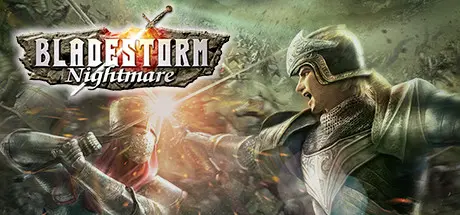
BLADESTORM: Nightmare Free Download (Build 652285)
Featured Replies

header.webp

Game Details

Release Name:ย BLADESTORM: Nightmare

Game Version:ย Build 652285

Release Date: 28 May, 2015

Publisher: KOEI TECMO GAMES CO., LTD.

Developer: KOEI TECMO GAMES CO., LTD.

Based On:ย CSF & Goldberg

BLADESTORM: Nightmare Direct Download - Game Review

After 7 years, BLADESTORM: Nightmare has returned and makes its debut on Windows!
Experience the ultimate expression of the series with โ€œDirect Xโ€!

[Features of the Windows version]
One feature of the Windows version is the ability to set detailed graphic settings, like number of characters displayed, draw distance, and so on, based on your PCโ€™s specs.
For those using high spec PCs, using the highest settings optimizes DirectX11โ€™s capabilities, allowing for improved battlefield graphics and amazingly smooth gameplay at a high frame rate.
Also, since it is possible to customize the controls, you can create a control scheme that you enjoy for the best game play experience.

[Features of BLADESTORM: Nightmare]
โ—†A new type of Action Game! Lead squads to drive the enemy into oblivion!
Players become mercenaries in the Hundred Years War and lead squads of fighters, made up of anything from footmen, bowmen, and horsemen to elephant troops, cannon troops, and siege weapons, across dynamically changing battlefield on a mission to guide his side to victory.
Players control squads of men, using unique Actions to devastate the enemy for an innovative and thrilling experience. With each trooper, both enemy and ally, guided by its own AI, the savage clash between large forces are painted in breath-taking intensity and shocking reality.

โ—†The Thrill and Strategy of controlling 4 squads of up to 200 Troops!
Players can switch between up to 4 squads. Switching between squads allow them to act over a wider area. Also, combining squads into an army of up to 200 men allow players to make powerful concerted attacks and combos based on the attacking squad, all for an exciting new game-play experience that combines the thrill of action and the depth of strategy.

โ—†A Richer Story Mode with the inclusion of Nightmare!
In the โ€œHundred Years Warโ€, players enjoy a free mission system that allows them to experience the battle from the viewpoints of both the English and the French. Meeting and interacting with such heroes of history as Joan of Arc and Edward, the Black Prince, brings the story to vivid life.
In addition to this, we have included an original Nightmare mode involving huge monsters such as dragons and cyclops. The heroes of history are called upon to fight once more, as England and France join together in common cause to fight mysterious monsters in an entirely new take on the world of the Hundred Years War.

โ—†A New Game Experience using the latest technologies and introducing exciting new elements!
The latest graphic technologies have been used to create the amazing battles of a Medieval battleground. We have also included an online multiplayer function, a revised character edit mode and assorted other new features for an enjoyable new game experience.


Game Screenshots

screenshot screenshot screenshot screenshot


Game Trailer


System Requirements

Minimum Requirements

Recommended Requirements

OS

Windowsยฎ (64bit required)

Windowsยฎ (64bit required)

Processor

Core i7 870 2.8GHz or better

Core i7 2600 3.4GHz or better

Memory

2 GB RAM

4 GB RAM

Graphics

640*480 pixel over, High Color

1980*1080 pixel over, True Color, 16:9 display

DirectX

Version 11

Version 11

Storage

12 GB available space

12 GB available space


Installation Guide

  1. No Installation Needed: The game is pre-installed. Just download and extract.

  2. Extract: Right-click the .zip or .rar file and select "Extract Here" or "Extract to folder".

  3. Run: Find Launch_EA.exe inside the folder and run it.

Game Data & Settings

  • Change Language: Edit the file located at steam_settings/Configs.user.ini

Important Notes

๐Ÿ”ฅDOWNLOAD AREA๐Ÿ”ฅ

๐Ÿ”น10.89 GB๐Ÿ”น

Select the server you want to download with ZeiLink.

Download

  • Views 876
  • Created
  • Last Reply

Posted Images

Create an account or sign in to comment

Recently Browsing 0

  • No registered users viewing this page.

Account

Navigation

Search

Search

๐Ÿ”Ž Search Tip
For exact results, search using "game name" .
Without quotes, results may include unrelated titles.

Configure browser push notifications

Chrome (Android)
  1. Tap the lock icon next to the address bar.
  2. Tap Permissions โ†’ Notifications.
  3. Adjust your preference.
Chrome (Desktop)
  1. Click the padlock icon in the address bar.
  2. Select Site settings.
  3. Find Notifications and adjust your preference.
