



Skip to content
View in the app

A better way to browse. Learn more.

ZeiGames

A full-screen app on your home screen with push notifications, badges and more.

To install this app on iOS and iPadOS
  1. Tap the Share icon in Safari
  2. Scroll the menu and tap Add to Home Screen.
  3. Tap Add in the top-right corner.
To install this app on Android
  1. Tap the 3-dot menu (โ‹ฎ) in the top-right corner of the browser.
  2. Tap Add to Home screen or Install app.
  3. Confirm by tapping Install.

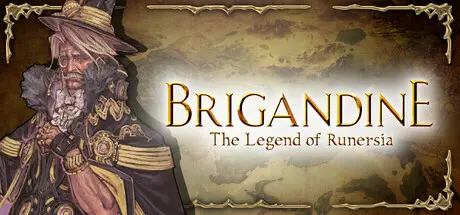
Brigandine The Legend of Runersia Free Download (v1.02)
Featured Replies

header.webp

Game Details

Release Name:ย Brigandine The Legend of Runersia

Game Version:ย v1.02 | Build 22797376

Release Date: 10 May, 2022

Publisher: Happinet

Developer: Happinet, Matrix

Based On:ย CSF & Goldberg

Brigandine The Legend of Runersia Direct Download - Game Review


The continent of Runersia is home to six major powers with more than 40 bases, 100 knights, and 50 types of monsters. Select a ruler, organize knights and monsters into troops, and conquer enemy bases! How you wish to do battle is entire up to you, so devise the best strategies and lead your nation toward continental conquest! How will your legend unfold?


Time passes on Runersia in seasons. Each season consists of an Organization Phase and Attack Phase. During the Organization Phase, knights and monsters of various classes and skills are organized into troops in preparation for upcoming battles. During the Attack Phase, turn-based troop battles take place on a map made up of hexagonal spaces. Make use of unit skills, elements, enclosure effects, terrain advantages, and other battle tactics to lead your side to victory! All nations, knights, and monsters in the game will continue to battle and grow as you do. The game is also packed with other ways to grow your armies such as classes, equipment, and various items.


Runersia - a continent blessed with mana showers from times of old. Five Mana Stones discovered long ago have been embedded into special armor called Brigandines, each one representing the ideology of the nation possessing it. These have come to be known as the Brigandine of Justice, Sanctity, Freedom, Glory, and Ego. The time now is Runersia 781, and a war looms on the horizon for five nations and a small tribe with incompatible ideologies. Six rulers and their rune knights will throw themselves into the conflict, each with their own hopes and expectations. Once the land has been unified under a single banner, memories from The Legend of Runersia will be reclaimed and the truth of what happened here on Runersia shall be revealed.


Enemy nations aim to conquer the continent as well and will attack your bases to do so. The battle for the continent will differ with each playthrough.Accumulate stories and events from the six nations in the Records. After clearing the main mode, The Legend of Runersia, the Alternate Chapter challenge mode will be unlocked, allowing for even more replayability.


Game Screenshots

screenshot screenshot screenshot screenshot


Game Trailer


System Requirements

Minimum Requirements

Recommended Requirements

OS

Windows 8.1 64bit

Windows 10 64-bit

Processor

Intel Core i3-3225 over, AMD A8-6500 over

Intel Core i3-8350K, AMD Ryzen 3 1200

Memory

4 GB RAM

8 GB RAM

Graphics

NVIDIA Geforce GTX 650 over, AMD Radeon 6450 over, Intel(R) HD Graphics 4000 over

NVIDIA Geforce GTX 960, AMD Radeon RX 560

DirectX

Version 11

Version 11

Storage

23 GB available space

23 GB available space


Installation Guide

  1. No Installation Needed: The game is pre-installed. Just download and extract.

  2. Extract: Right-click the .zip or .rar file and select "Extract Here" or "Extract to folder".

  3. Run: Find Brigandine The Legend of Runersia.exe inside the folder and run it.

Game Data & Settings

  • Change Language: Edit the file located at steam_settings/Configs.user.ini

  • Save Data Location: %USERPROFILE%/AppData/LocalLow/Happinet\Brigandine_ The Legend of Runersia\SaveDatas

Important Notes

๐Ÿ”ฅDOWNLOAD AREA๐Ÿ”ฅ

๐Ÿ”น16.43 GB๐Ÿ”น

Select the server you want to download with ZeiLink.

Download

  • Views 904
  • Created
  • Last Reply

Posted Images

Create an account or sign in to comment

Recently Browsing 0

  • No registered users viewing this page.

Account

Navigation

Search

Search

๐Ÿ”Ž Search Tip
For exact results, search using "game name" .
Without quotes, results may include unrelated titles.

Configure browser push notifications

Chrome (Android)
  1. Tap the lock icon next to the address bar.
  2. Tap Permissions โ†’ Notifications.
  3. Adjust your preference.
Chrome (Desktop)
  1. Click the padlock icon in the address bar.
  2. Select Site settings.
  3. Find Notifications and adjust your preference.
