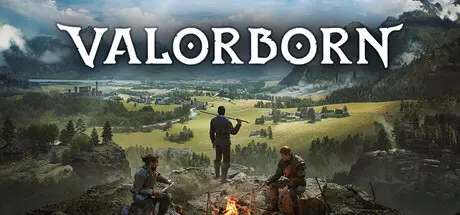
May 2May 2 Valorborn Game DetailsRelease Name: ValorbornGame Version: Build 23002047Release Date: 15 Apr, 2026Publisher: Laps GamesDeveloper: Laps GamesBased On: CSFValorborn Direct Download - Game OverviewThe world won’t keep you safe; you’ll have to prepare. Stock up, craft gear, and choose how you live: settle in town by renting a house, or roam freely with camps you can set up between expeditions. Hunt, gather, and craft your loadout, then do whatever it takes to survive.Valorborn is built around player-driven stories, not a single scripted path. Start small and survive however you can. Steal and sell stolen goods. Live off the wilderness and trade pelts for coin. Take contracts and hunt the dangers stalking roads, ruins, and settlements. Tip faction conflicts in your favor, exploit the chaos for profit, or stay out of politics and carve your own path. Your choices shape your identity, your reputation, and your future.Living World Simulation AI characters follow day and night routines, travel, work, and react to danger with or without your involvement.Sandbox Roleplay Choose your own path as a thief, hunter, sellsword, or forge your own way through the world.Faction Tension and Conflict Kingdoms, guilds, and local groups pursue power, survival, and influence across the region.Fully Enterable World Every building, cave, and point of interest is designed to be explored.Survival Systems Hunt, gather, manage resources, and prepare for long journeys through dangerous territory.Stealth, Stealing, and Crime Pick locks, steal valuables, and profit from risk while living with the consequences.Camp and Progression Systems Set up camps, prepare supplies, and build a stronger foothold as your story grows.Solo or Party Play Survive alone or build a group and shape multiple lives in the same world.Permadeath Death can wait behind every corner, but risk, loss, and adaptation are part of what make each run rewarding.Valorborn Screenshots Valorborn TrailerValorborn System Requirements Minimum RequirementsRecommended Requirements OSWindows 10Windows 10 Processor3.2 GHz Quad Core Processor3.2 GHz Quad Core Processor Memory16 GB RAM32 GB RAM GraphicsGTX 1070 Ti Series or EquivalentGTX 3060 Series or Equivalent DirectXVersion 11Version 12 Storage16 GB available space16 GB available space How to Install ValorbornNo Installation Needed: The game is pre-installed. Just download and extract.Extract: Right-click the .zip or .rar file and select "Extract Here" or "Extract to folder".Run: Find MedievalRPG.exe inside the folder and run it.Important NotesTo support the Game Developer, Get It On Steam.🔥DOWNLOAD AREA🔥🔹11.81 GB🔹Select the server you want to download with ZeiLink.Download
July 16Jul 16 Hello, thanks for the hard work, there is a new update build version 23473123, is it possible to get it?





Create an account or sign in to comment