



Skip to content
View in the app

A better way to browse. Learn more.

ZeiGames

A full-screen app on your home screen with push notifications, badges and more.

To install this app on iOS and iPadOS
  1. Tap the Share icon in Safari
  2. Scroll the menu and tap Add to Home Screen.
  3. Tap Add in the top-right corner.
To install this app on Android
  1. Tap the 3-dot menu (⋮) in the top-right corner of the browser.
  2. Tap Add to Home screen or Install app.
  3. Confirm by tapping Install.

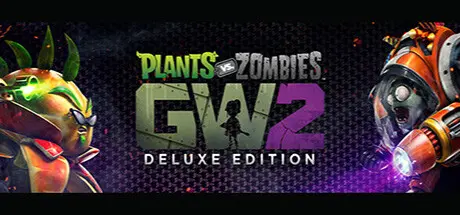
Plants vs. Zombies Garden Warfare 2: Deluxe Edition Free Download (v1.0.12.0 + Online)
Featured Replies

header.webp

Game Details

Release Name: Plants vs. Zombies Garden Warfare 2: Deluxe Edition

Game Version: v1.0.12.0

Release Date: 16 May, 2022

Publisher: Electronic Arts

Developer: PopCap

Based On: OFME

Plants vs. Zombies Garden Warfare 2: Deluxe Edition Direct Download - Game Review

Ready the Peashooters and prepare for the craziest, funniest shooter in the universe: Plants vs. Zombies Garden Warfare 2.

Dr. Zomboss has conquered Suburbia and transformed it into a zombie-filled, plant-free paradise. Help the plants reclaim their turf in the new 24-player Herbal Assault, or choose your side in 4-player co-op or solo play. With new modes, classes and loads of humor, Plants vs. Zombies Garden Warfare 2 lets you wage war on seriousness (and your friends!) however you want.

Plants vs. Zombies Garden Warfare 2 also introduces the Backyard Battleground, your very own interactive hub where you and up to 3 friends can take on daily quests and challenges and interact with your favorite PvZ characters.

Key Features:
Plants attack.
This time, bring the fight to the zombies. Go on the offensive as the plants to reclaim Suburbia, or stop the botanical invasion and preserve Zomburbia in all-new game modes.

More characters, classes, and skins. 6 new classes join the cast, making for 14 playable character classes. Choose from more than 100 playable plants and zombies from the past, present and future and stand out as you fight.

Play your way. Plants vs. Zombies Garden Warfare 2 delivers tons of lawn-inspiring game modes so you can play together or by yourself. Need some company? Play in the new Herbal Assault mode and join 24-players online to duke it out all over Suburbia. Or join the plants or the zombies and team up in 4-player co-op mode. And if you want, you can even play solo!

A living PvZ world. The struggle for Suburbia is in full bloom across 12 maps bursting with personality and humor. Fight your way through Zombossified cityscapes and crowded airspaces, all layered with hidden secrets waiting to be discovered.


Game Screenshots

screenshot screenshot screenshot screenshot


Game Trailer


System Requirements

Minimum Requirements

Recommended Requirements

OS

Windows 7 64-bit / Windows 8.1 64-bit / Windows 10 64-bit

64-bit Windows 10 or later

Processor

Phenom X4 9850 or better, i5 650 or better

Intel i5 6600 or equivalent, i5 6600 or better

Memory

4 GB RAM

16 GB RAM

Graphics

Radeon HD 7730 or better, GeForce GT 640 or better

Radeon R9 290 or better, GeForce GTX 97 or better

DirectX

Version 11

Version 11

Storage

40 GB available space

40 GB available space


Installation Guide

  1. No Installation Needed: The game is pre-installed. Just download and extract.

  2. Extract: Right-click the .zip or .rar file and select "Extract Here" or "Extract to folder".

  3. Run: Find CypressLauncher.exe inside the folder and run it. Login with your Electronic Arts account.

  4. Choose Garden Warfare 2 in Launcher and set Game path where GW2.Main_Win64_Retail.exe is located.

Important Notes

🔥DOWNLOAD AREA🔥

🔹22.98 GB🔹

Select the server you want to download with ZeiLink.

Download

  • Replies 4
  • Views 828
  • Created
  • Last Reply

Top Posters In This Topic

Posted Images

The game won't open. I followed the instructions exactly, but it's stuck on a black screen.

  • 2 months later...

Create an account or sign in to comment

Recently Browsing 0

  • No registered users viewing this page.

Account

Navigation

Search

Search

🔎 Search Tip
For exact results, search using "game name" .
Without quotes, results may include unrelated titles.

Configure browser push notifications

Chrome (Android)
  1. Tap the lock icon next to the address bar.
  2. Tap Permissions → Notifications.
  3. Adjust your preference.
Chrome (Desktop)
  1. Click the padlock icon in the address bar.
  2. Select Site settings.
  3. Find Notifications and adjust your preference.
