



Skip to content
View in the app

A better way to browse. Learn more.

ZeiGames

A full-screen app on your home screen with push notifications, badges and more.

To install this app on iOS and iPadOS
  1. Tap the Share icon in Safari
  2. Scroll the menu and tap Add to Home Screen.
  3. Tap Add in the top-right corner.
To install this app on Android
  1. Tap the 3-dot menu (⋮) in the top-right corner of the browser.
  2. Tap Add to Home screen or Install app.
  3. Confirm by tapping Install.

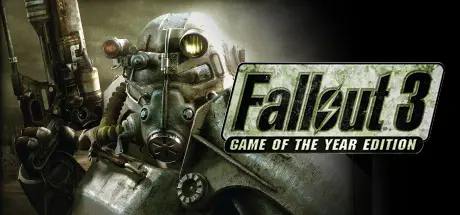
Fallout 3: Game of the Year Edition Free Download (Build 14365463)
Featured Replies

header.webp

Game Details

Release Name: Fallout 3: Game of the Year Edition

Game Version: Build 14365463

Release Date: 17 Dec, 2009

Publisher: Bethesda Softworks

Developer: Bethesda Game Studios

Based On: CSF & Goldberg

Fallout 3: Game of the Year Edition Direct Download - Game Review

Prepare for the Future
With Fallout 3: Game of the Year Edition, experience the most acclaimed game of 2008 like never before. Create a character of your choosing and descend into an awe-inspiring, post-apocalyptic world where every minute is a fight for survival. Fallout 3: Game of the Year Edition includes all five of the Fallout 3 Game Add-on Packs:

  • Operation: Anchorage - Enter a military simulation and fight in the liberation of Anchorage, Alaska from its Chinese Communist invaders.

  • The Pitt - Travel to the post-apocalyptic remains of Pittsburgh and become embroiled in a conflict between slaves and their Raider masters.

  • Broken Steel - Increase your level cap to 30, and finish the fight against the Enclave remnants alongside Liberty Prime.

  • Point Lookout - Embark on a mysterious and open-ended adventure in a huge, murky swampland along the coast of Maryland.

  • Mothership Zeta - Defy hostile alien abductors and fight your way off of the alien mothership, orbiting miles above the Capital Wasteland.


Game Screenshots

screenshot screenshot screenshot screenshot


Game Trailer


System Requirements

Minimum Requirements

Recommended Requirements

OS

-

-

Processor

2.4 Ghz Intel Pentium 4 or equivalent processor

Intel Core 2 Duo processor

Memory

1 GB (XP)/ 2 GB (Vista)

2 GB System RAM

Graphics

Direct X 9.0c compliant video card with 256MB RAM (NVIDIA 6800 or better/ATI X850 or better)

Direct X 9.0c compliant video card with 512MB RAM (NVIDIA 8800 series, ATI 3800 series)

DirectX

-

-

Storage

-

-


Installation Guide

  1. No Installation Needed: The game is pre-installed. Just download and extract.

  2. Extract: Right-click the .zip or .rar file and select "Extract Here" or "Extract to folder".

  3. Before Start a game right click !REGFIX.reg file, open this file notepad and change this path "Installed Path"="C:\\Games\\Temp\\Fallout 3\\" to your game folder and click !REGFIX.reg.

  4. Run: Find Fallout 3.exe inside the folder and run it.

Game Data & Settings

  • Change Language: Download the game that includes the language you want to play in.

  • Save Data Location: %USERPROFILE%/My Documents//My Games/Fallout3/Saves

Important Notes

🔥DOWNLOAD AREA🔥

🔹7.13 GB🔹

Select the server you want to download with ZeiLink.

ALL Languages Included.

Download

  • Views 525
  • Created
  • Last Reply

Posted Images

Create an account or sign in to comment

Recently Browsing 0

  • No registered users viewing this page.

Account

Navigation

Search

Search

🔎 Search Tip
For exact results, search using "game name" .
Without quotes, results may include unrelated titles.

Configure browser push notifications

Chrome (Android)
  1. Tap the lock icon next to the address bar.
  2. Tap Permissions → Notifications.
  3. Adjust your preference.
Chrome (Desktop)
  1. Click the padlock icon in the address bar.
  2. Select Site settings.
  3. Find Notifications and adjust your preference.
