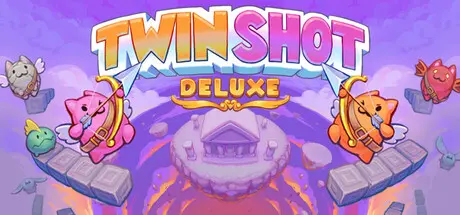
May 1May 1 Twin Shot Deluxe Game DetailsRelease Name: Twin Shot DeluxeGame Version: Build 23287156Release Date: 30 Apr, 2026Publisher: Nitrome LimitedDeveloper: Nitrome LimitedBased On: CSF & GoldbergTwin Shot Deluxe Direct Download - Game OverviewThe Angel Cats are back and better than ever before in this complete remaster.Twin Shot Deluxe is an arcade platform shooter where players defend their homeland from invaders using bows and arrows. Take aim at over 200+ brand new levels set across four worlds, each with unique challenges, bosses and enemies. Play solo or team up with friends in local co-op (1-4 players) or play competitively to see who will be crowned champion.A brand new Atlantis theme to explore, defeat additional bosses, unlock fancy headwear with special powers for extended replay, and much more... relive your childhood and take to the skies!Twin Shot Deluxe has received a complete graphical overhaul. We have painstakingly redone every single sprite, animation, character, background and menu to elevate the art to new heights.We could not leave the game lagging in the past at 20FPS, it has now been upgraded to an angelic 60FPS, and now with a modern 16:9 ratio, that's 78% more Twin Shot. We even have a brand new intro animatic and ending illustrations remastered to pixel art perfection.It's not just the characters and enemies that have had a revamp... meet Colossus, he's big, mean and totally climbable. Unlock the new Atlantis theme with exciting new enemies and mechanics to enjoy across its 50 stages.Join friends and family in multiplayer (expanded to up to 4 players) with gamepad and keyboard support.Put your archery skills to the ultimate test and explore 200+ new levels built from the ground up.Improved air control (✓), stop on a dime (✓), coyote time (✓), variable jump (✓)... Deluxe has totally revamped controls that still feel just like you remember!Twin Shot Deluxe Screenshots Twin Shot Deluxe TrailerTwin Shot Deluxe System Requirements Minimum RequirementsRecommended Requirements OSWindows 7 64-bitWindows 10 64-bit ProcessorIntel Core 2 Duo 2.1 ghz or equivalentIntel Core 2 Duo 2.1 ghz or equivalent Memory-- Graphics500MB Video Memory1GB Video Memory DirectXVersion 11Version 11 Storage800 MB available space800 MB available space How to Install Twin Shot DeluxeNo Installation Needed: The game is pre-installed. Just download and extract.Extract: Right-click the .zip or .rar file and select "Extract Here" or "Extract to folder".Run: Find Twin Shot Deluxe.exe inside the folder and run it.Game Data & SettingsChange Language: Edit the file located at steam_settings/Configs.user.iniSave Data Location: %USERPROFILE%/AppData/LocalLow/Nitrome Limited/Twin Shot DeluxeImportant NotesTo support the Game Developer, Get It On Steam.🔥DOWNLOAD AREA🔥🔹107 MB🔹Select the server you want to download with ZeiLink.Download





Create an account or sign in to comment