



Theme
Language

Layout
Skip to content
View in the app

A better way to browse. Learn more.

ZeiGames

A full-screen app on your home screen with push notifications, badges and more.

To install this app on iOS and iPadOS
  1. Tap the Share icon in Safari
  2. Scroll the menu and tap Add to Home Screen.
  3. Tap Add in the top-right corner.
To install this app on Android
  1. Tap the 3-dot menu (⋮) in the top-right corner of the browser.
  2. Tap Add to Home screen or Install app.
  3. Confirm by tapping Install.

Lumberjacked Free Download (v1.92 + Supporters Pack)
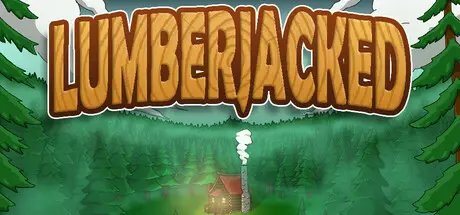
Lumberjacked

Featured Replies

Lumberjacked cover art

Lumberjacked Game Details

Release Name: Lumberjacked

Game Version: v1.92 | Build 20756746

Release Date: 18 Apr, 2025

Publisher: Dumb Duck Games, Inner Realm Studios

Developer: Inner Realm Studios, Dumb Duck Games

Based On: CSF & Goldberg

Lumberjacked Direct Download - Game Overview

Welcome to LumberJacked, a 3D incremental clicker game that takes place deep in a mysterious forest.

Chop trees, collect the logs, and toss them into the chipper to earn cash. Use your earnings to upgrade your strength and efficiency, or sharpen your axe allowing you to cut down increasingly tougher and more valuable trees.

Tunnel through trees to uncover the story, discover loot, and work with a friendly gnome who’ll trade tools for a price.

Destiny calls, do you embrace it, or defy it?

Features:

  • Be the Lumberjack: Chop down trees, and harvest them in the chipper to earn money.

  • Pump Some Iron: Upgrade your core stats to increase your efficiency

  • Hit the Grindstone: Sharpen your axe to improve its effectiveness against harder and more valuable trees

  • Treasures - Find various treasures and other discoverables to earn extra loot and tools.

  • Gnome Guide - Deal with a seemingly friendly gnome who is ready to help you, for a fee.

  • Uncover the Mystery: Seek out the scattered story of the forest to discover your purpose in it.


Lumberjacked Screenshots

Lumberjacked screenshot 1 Lumberjacked screenshot 2 Lumberjacked screenshot 3 Lumberjacked screenshot 4


Lumberjacked Trailer


Lumberjacked System Requirements

Minimum Requirements

Recommended Requirements

OS

Windows 10

-

Processor

Intel Core i3 Dual Core

-

Memory

-

-

Graphics

NVIDIA Geforce GTS 450 / AMD Radeon HD 5570

-

DirectX

-

-

Storage

500 MB available space

-


How to Install Lumberjacked

  1. No Installation Needed: The game is pre-installed. Just download and extract.

  2. Extract: Right-click the .zip or .rar file and select "Extract Here" or "Extract to folder".

  3. Run: Find Lumberjacked.exe inside the folder and run it.

Game Data & Settings

  • Change Language: Edit the file located at steam_settings/Configs.user.ini

  • Save Data Location: %USERPROFILE%/AppData/LocalLow/irs/Lumberjacked

Important Notes

🔥DOWNLOAD AREA🔥

🔹227 MB🔹

Select the server you want to download with ZeiLink.

Download

  • Replies 1
  • Views 731
  • Created
  • Last Reply

Top Posters In This Topic

Most Popular Posts

Posted Images

Create an account or sign in to comment

Recently Browsing 0

  • No registered users viewing this page.

Account

Navigation

Search

Search

🔎 Search Tip
For exact results, search using "game name" .
Without quotes, results may include unrelated titles.

Configure browser push notifications

Chrome (Android)
  1. Tap the lock icon next to the address bar.
  2. Tap Permissions → Notifications.
  3. Adjust your preference.
Chrome (Desktop)
  1. Click the padlock icon in the address bar.
  2. Select Site settings.
  3. Find Notifications and adjust your preference.
