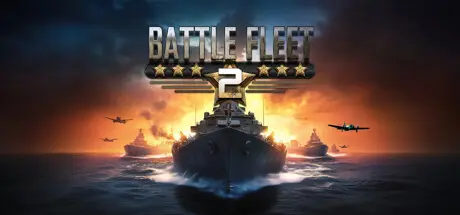
April 28Apr 28 Battle Fleet 2 Game DetailsRelease Name: Battle Fleet 2Game Version: v1.700 | Build 20011517Release Date: 20 Nov, 2014Publisher: Mythical City GamesDeveloper: Mythical City GamesBased On: CSF & GoldbergBattle Fleet 2 Direct Download - Game OverviewYour mission is to select a fleet of warships, arm them by selecting their weapons, assign captains and destroy the enemy fleet. You'll have complete control of this mission, all the way down to what angle and how much power should be put into each shot. Battle Fleet 2 is at your command, Admiral!Battle Fleet 2 is the radically improved sequel to the original and has kept the “Worms” / “Scorched Earth” style angle+power mechanic, but now features full 3D modeling of terrain, ships, and ship hit locations. Hit the the engines and cripple the enemy's maneuverability, or aim for the command center and disable the ship for an entire turn. Ships are more realistic in which weapon compliments they can carry, and aiming/firing, as well as moving, is more intuitive. Battle Fleet 2 also now features Fog of War, allowing for stealth tactics and surprise attacks to be a viable strategy as well as adding the importance of using ships and aircraft for recon as well as attacks. With a full featured campaign and a variety of single play scenarios, Battle Fleet 2 will keep even the saltiest of sea-dogs satisfied. Feature ListBuild your fleet from 7 different ship classes each with different hardpoint locations for mounting different weapons, different mobility, and different hit locations. Use small caliber guns to pinpoint your shot and switch to devastating salvo mode, forcing all available guns in range and firing arc to fire at the same location. Equip your ships with a wide variety of weapons including AA guns, torpedoes, and a plethora of different caliber naval artillery. Utilize or neutralize a variety of aircraft, including recon planes, fighters, and bombers, launched from island bases, aircraft carriers, or cruisers. Ship captains gain experience with each Campaign battle.Play the strategic single player campaigns, random skirmish mode, full cross-platform multiplayer, or even hotseat multiplayer. Pacific and Atlantic campaigns with historical and clean slate modes for each.Use recon to clear Fog of War and defeat enemy ground based airfields and coastal artillery. Deploy Strategic Command Cards to surprise your enemies with special actions like deploying mines, sabotage, enhanced aiming, airstrikes and more! Battle Fleet 2 features full 3D models of WW2 era ships.VR Support for HTC Vive and Oculus RiftBattle Fleet 2 Screenshots Battle Fleet 2 TrailerBattle Fleet 2 System Requirements Minimum RequirementsRecommended Requirements OSWindows XPWindows 7 or 8 Processor1.5 ghz dual core2 ghz dual core Memory2 GB RAM2 GB RAM Graphics128 mb Video Card256 mb Video Card DirectXVersion 8.0Version 9.0 Storage500 MB available space500 MB available space How to Install Battle Fleet 2No Installation Needed: The game is pre-installed. Just download and extract.Extract: Right-click the .zip or .rar file and select "Extract Here" or "Extract to folder".Run: Find Battle Fleet 2.exe inside the folder and run it.Game Data & SettingsChange Language: Edit the file located at steam_settings/Configs.user.iniImportant NotesTo support the Game Developer, Get It On Steam.🔥DOWNLOAD AREA🔥🔹532 MB🔹Select the server you want to download with ZeiLink.Download





Create an account or sign in to comment