



Skip to content
View in the app

A better way to browse. Learn more.

ZeiGames

A full-screen app on your home screen with push notifications, badges and more.

To install this app on iOS and iPadOS
  1. Tap the Share icon in Safari
  2. Scroll the menu and tap Add to Home Screen.
  3. Tap Add in the top-right corner.
To install this app on Android
  1. Tap the 3-dot menu (โ‹ฎ) in the top-right corner of the browser.
  2. Tap Add to Home screen or Install app.
  3. Confirm by tapping Install.

Above the Snow Free Download (v1.0.3 + The Alpine Edition DLC)
Featured Replies

header.webp

Game Details

Release Name:ย Above the Snow

Game Version:ย v1.0.3 | Build 22945075

Release Date: 23 Apr, 2026

Publisher: Wandering Wizard

Developer: Above the Desk

Based On:ย CSF & Goldberg

Above the Snow Direct Download - Game Review

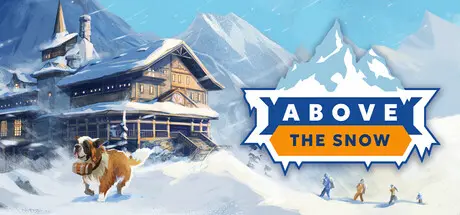
Above the Snow is a one-of-a-kind story-driven management game about a crew of friends running a mountain vacation business!

The winter of the century is here โ€“ prepare your hot cocoa, stay warm, cozy up, and try to survive harsh competition, demanding guests, nosy reporters, and the incoming Great Avalanche.

Become the best Alpine resort in the region!

The shelter is home not only to your guests, but also to a ragtag crew โ€“ each with their own reasons for being there!

  • Enjoy 20+ hours of rich, character-driven storytelling in a unique Alpine winter setting!

  • Experience growth, teamwork, sabotage, unexpected fame, and weather crises. Nobody leaves the mountains unchanged!

  • Each worker has their own strengths and weaknesses โ€“ use them wisely! (Except Francis. He just runs really fast.)

  • Time management is key โ€“ thereโ€™s always work to be done!

  • The dog is named Brutus. Heโ€™s probably a good boy. Youโ€™ll have to find out for yourself!

Call it a shelter, lodge, hotel, or resort โ€“ it's your hospitality business in the snowy heart of the Alps. Your goal? Make it the go-to destination for daring alpinists.

  • Provide entertainment, storage space, and beds for everyone!

  • Furnish it your way!

  • Manage the alpinist economy โ€“ want more thrill-seekers? Attract them with smart interior design and facilities!

  • Expand outdoors โ€“ a real resort doesnโ€™t stop at the main building!

  • Boost morale! A happy, well-rested alpinist is a safe alpinist!

  • Manage equipment โ€“ for both your team and your guests!

A lodge stay is only half the adventure. The other half? Mapping out trails through the Alpine wilderness!

  • Design trails that match your guestsโ€™ skills and preferences!

  • Upgrade difficult segments, add camp points, and avoid dangers โ€“ unless your guests are ready for them!

  • Guide trails to peaks, ski slopes, monuments, and more!

  • Perform rescue missions, transport goods, and more with the Trail Task system!

  • Use realistic land and air vehicles inspired by actual Alpine tech!

  • And whatever you do โ€“ donโ€™t let anyone find Francis's bag (he hid it very well)!


Game Screenshots

screenshot screenshot screenshot screenshot


Game Trailer


System Requirements

Minimum Requirements

Recommended Requirements

OS

Windows 10/11 64bit

-

Processor

Intel Core i5 10th generation/AMD Ryzen 5 5600

-

Memory

8 GB RAM

-

Graphics

GTX 1650

-

DirectX

-

-

Storage

4 GB available space

-


Installation Guide

  1. No Installation Needed: The game is pre-installed. Just download and extract.

  2. Extract: Right-click the .zip or .rar file and select "Extract Here" or "Extract to folder".

  3. Run: Find Above the Snow.exe inside the folder and run it.

Game Data & Settings

  • Change Language: Edit the file located at steam_settings/Configs.user.ini

  • Save Data Location: %USERPROFILE%/My Documents/AboveTheSnow/Saves

Important Notes

๐Ÿ”ฅDOWNLOAD AREA๐Ÿ”ฅ

๐Ÿ”น2.97 GB๐Ÿ”น

Select the server you want to download with ZeiLink.

Download

  • Views 664
  • Created
  • Last Reply

Posted Images

Create an account or sign in to comment

Recently Browsing 0

  • No registered users viewing this page.

Account

Navigation

Search

Search

๐Ÿ”Ž Search Tip
For exact results, search using "game name" .
Without quotes, results may include unrelated titles.

Configure browser push notifications

Chrome (Android)
  1. Tap the lock icon next to the address bar.
  2. Tap Permissions โ†’ Notifications.
  3. Adjust your preference.
Chrome (Desktop)
  1. Click the padlock icon in the address bar.
  2. Select Site settings.
  3. Find Notifications and adjust your preference.
