



Skip to content
View in the app

A better way to browse. Learn more.

ZeiGames

A full-screen app on your home screen with push notifications, badges and more.

To install this app on iOS and iPadOS
  1. Tap the Share icon in Safari
  2. Scroll the menu and tap Add to Home Screen.
  3. Tap Add in the top-right corner.
To install this app on Android
  1. Tap the 3-dot menu (⋮) in the top-right corner of the browser.
  2. Tap Add to Home screen or Install app.
  3. Confirm by tapping Install.

RUSH: A Disney • PIXAR Adventure Free Download (Build 2832118)
Featured Replies

header.webp

Game Details

Release Name: RUSH: A Disney • PIXAR Adventure

Game Version: Build 2832118

Release Date: 14 Sep, 2018

Publisher: Xbox Game Studios

Developer: Asobo Studio

Based On: CSF & Goldberg

RUSH: A Disney • PIXAR Adventure Direct Download - Game Review

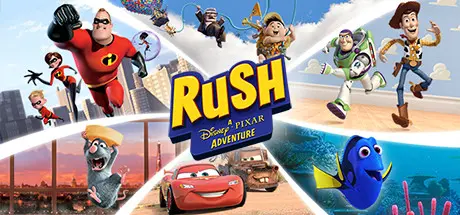
Rush: A Disney•Pixar Adventure invites families and fans of all ages to experience the worlds of six beloved Disney•Pixar films like never before. Team up with characters from The Incredibles, Ratatouille, Up, Cars, Toy Story, and Finding Dory to solve puzzles and uncover hidden secrets.

You and your favorite Pixar character can interact on screen and play cooperatively to solve challenges. Move from fast-paced puzzle-solving to moments of pulse-pounding agility and speed.

Features:
• Save the day in your own fast-paced adventure. Invite your whole family to join Woody, Lightning McQueen and others in this one-of-a-kind Pixar experience
• Join forces with Pixar characters to help you through each challenge or play on the same screen through split-screen couch co-op at home with a friend.
• Explore and discover the sights and sounds of each Pixar world as you solve puzzles and search hidden secrets


Game Screenshots

screenshot screenshot screenshot screenshot


Game Trailer


System Requirements

Minimum Requirements

Recommended Requirements

OS

Windows 7 or higher

Windows 7 or higher

Processor

Intel Core i3-3210 @ 3.2 GHz || AMD FX-4150 @ 4 GHz

Intel Core i5 3330 @ 3.0 GHz || AMD FX-6130 @ 3.6 GHz

Memory

4 GB RAM

6 GB RAM

Graphics

Nvidia GT GTX 650 || AMD R7 260

Nvidia GTX 660 Ti || AMD R7 370

DirectX

Version 11

Version 11

Storage

24 GB available space

24 GB available space


Installation Guide

  1. No Installation Needed: The game is pre-installed. Just download and extract.

  2. Extract: Right-click the .zip or .rar file and select "Extract Here" or "Extract to folder".

  3. Run: Find Launcher.exe inside the folder and run it.

Game Data & Settings

  • Change Language: Edit the file located at steam_settings/Configs.user.ini

  • Save Data Location: %USERPROFILE%/Saved Games/Rush

Important Notes

🔥DOWNLOAD AREA🔥

🔹19.19 GB🔹

Select the server you want to download with ZeiLink.

Download

  • Views 592
  • Created
  • Last Reply

Posted Images

Create an account or sign in to comment

Recently Browsing 0

  • No registered users viewing this page.

Account

Navigation

Search

Search

🔎 Search Tip
For exact results, search using "game name" .
Without quotes, results may include unrelated titles.

Configure browser push notifications

Chrome (Android)
  1. Tap the lock icon next to the address bar.
  2. Tap Permissions → Notifications.
  3. Adjust your preference.
Chrome (Desktop)
  1. Click the padlock icon in the address bar.
  2. Select Site settings.
  3. Find Notifications and adjust your preference.
