



Skip to content
View in the app

A better way to browse. Learn more.

ZeiGames

A full-screen app on your home screen with push notifications, badges and more.

To install this app on iOS and iPadOS
  1. Tap the Share icon in Safari
  2. Scroll the menu and tap Add to Home Screen.
  3. Tap Add in the top-right corner.
To install this app on Android
  1. Tap the 3-dot menu (โ‹ฎ) in the top-right corner of the browser.
  2. Tap Add to Home screen or Install app.
  3. Confirm by tapping Install.

Stranger Things 3: The Game Free Download (Build 4130024)
Featured Replies

header.webp

Game Details

Release Name:ย Stranger Things 3: The Game

Game Version:ย Build 4130024

Release Date: 4 Jul, 2019

Publisher: BonusXP

Developer: BonusXP

Based On:ย CSF & Goldberg

Stranger Things 3: The Game Direct Download - Game Review

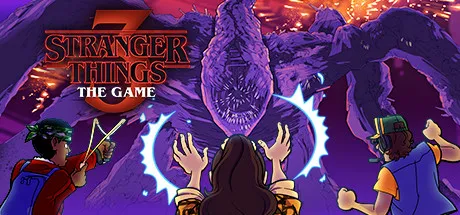
Stranger Things 3: The Game is the official companion game to Season 3 of the hit original series! Play through familiar events from the series while also uncovering never-before-seen quests, character interactions, and secrets! This adventure game blends a distinctively retro art style with modern gameplay mechanics to deliver nostalgic fun with a fresh new twist.

Just like in the show, teamwork is at the heart of Stranger Things 3: The Game. Fans can team up in two player local co-op to explore the world of Hawkins, solve puzzles, and battle the emerging evils of The Upside Down as one of twelve beloved characters from the show.


Game Screenshots

ss_d6df3e545a220737d1b63c57d79d80ae1d200ss_f6468be5490409a0bf353a40824554358f7c4ss_20ee0f925cfc5b4101ae7884e6d8c51cc67e8ss_0d297d1c62c0e240b80ae8c158df0f721aef2


Game Trailer


System Requirements

Minimum Requirements

Recommended Requirements

OS

Windows 10

-

Processor

Intel Core 2 Duo 2GHz+ or better

-

Memory

2 GB RAM

-

Graphics

256 MB video card. Shader Model 4.0 support

-

DirectX

Version 9.0c

-

Storage

2

-


Installation Guide

  1. No Installation Needed: The game is pre-installed. Just download and extract.

  2. Extract: Right-click the .zip or .rar file and select "Extract Here" or "Extract to folder".

  3. Run: Find fate.exe inside the folder and run it.

Game Data & Settings

  • Change Language: Edit the file located at steam_settings/Configs.user.ini

๐Ÿ”ฅDOWNLOAD AREA๐Ÿ”ฅ

๐Ÿ”น102 MB๐Ÿ”น

Select the server you want to download with ZeiLink.

Download

  • Views 602
  • Created
  • Last Reply

Posted Images

Create an account or sign in to comment

Recently Browsing 0

  • No registered users viewing this page.

Account

Navigation

Search

Search

๐Ÿ”Ž Search Tip
For exact results, search using "game name" .
Without quotes, results may include unrelated titles.

Configure browser push notifications

Chrome (Android)
  1. Tap the lock icon next to the address bar.
  2. Tap Permissions โ†’ Notifications.
  3. Adjust your preference.
Chrome (Desktop)
  1. Click the padlock icon in the address bar.
  2. Select Site settings.
  3. Find Notifications and adjust your preference.
