



Skip to content
View in the app

A better way to browse. Learn more.

ZeiGames

A full-screen app on your home screen with push notifications, badges and more.

To install this app on iOS and iPadOS
  1. Tap the Share icon in Safari
  2. Scroll the menu and tap Add to Home Screen.
  3. Tap Add in the top-right corner.
To install this app on Android
  1. Tap the 3-dot menu (โ‹ฎ) in the top-right corner of the browser.
  2. Tap Add to Home screen or Install app.
  3. Confirm by tapping Install.

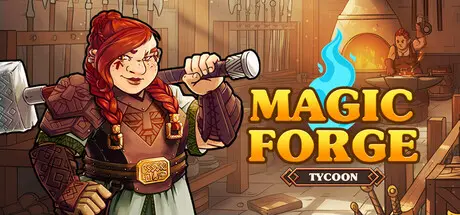
Magic Forge Tycoon Free Download (v1.0.20260121 + Supporter pack DLC)
Featured Replies

header.webp

Game Details

Release Name:ย Magic Forge Tycoon

Game Version:ย v1.0.20260121 | Build 21583562

Release Date: 13 Jan, 2026

Publisher: Clever Trickster Productions

Developer: Clever Trickster Studio, Clever Trickster Productions

Based On:ย CSF & Goldberg

Magic Forge Tycoon Direct Download - Game Review

In Magic Forge Tycoon, every hammer strike shapes history. Manage your astral forge, craft enchanted weapons, and decide the fate of warring kingdoms. Will you fuel conflicts or forge peace through your creations? Master the economy, fulfill demanding contracts from rulers and nobles, and carve your name among the greatest blacksmiths!

  • Select the best weapon patterns, fine-tune every setting, and apply perfect enchantments for unmatched quality.

  • Find the perfect balance between style and durability to create exceptional weapons.

  • Increase productivity to optimize your output and craft masterpieces fit for kings.

  • Purchase new technologies to speed up production and refine your creations.

  • Upgrade your forge to unlock advanced crafting techniques and boost production capacity.

  • Invest in research to discover new weapon designs and exotic resources.

  • Buy and sell materials in a dynamic market influenced by wars, alliances, and resource scarcity.

  • Stockpile raw materials, anticipate price fluctuations and kingdom conflicts to secure the best deals.

  • Manage resources wiselyโ€”poor investments or shortages can cost you dearly!

  • Complete contracts for rival factions and watch your weapons reshape the balance of power.

  • Accumulate Favor Points to unlock better contracts, political perks, and exclusive forge bonuses.

  • Establish trade outposts in strategic regions to expand your influence and gather crucial intelligence.

  • Your economic choices can make a kingdom thriveโ€ฆ or bring about its downfall.

  • Wars, alliances, and economies shift dynamically, presenting new challenges every playthrough.

  • Every forged weapon leaves a mark on history. Will you be a peacemaker or a war profiteer?


Game Screenshots

screenshot screenshot screenshot screenshot


Game Trailer


System Requirements

Minimum Requirements

Recommended Requirements

OS

Windows 11 64-bit

Windows 11 64-bit

Processor

Intel Core i3-1115G4 or AMD Ryzen 3 5300U

Intel Core i5-11300H or AMD Ryzen 5 5600H

Memory

8 GB RAM

16 GB RAM

Graphics

NVIDIA GeForce GT 710, 2GB (Legacy: NVIDIA GeForce GT 440), AMD R5 240, 2GB (Legacy: AMD Radeon HD 6670), Integrated: Intel UHD Graphics 620

NVIDIA GeForce GTX 1050 Ti, 4GB (Legacy : NVIDIA GeForce GTX 770, 2GB) ou AMD RX 570, 4GB (Legacy : AMD R9 280X, 3GB)

DirectX

Version 11

Version 12

Storage

5 GB available space

5 GB available space


Installation Guide

  1. No Installation Needed: The game is pre-installed. Just download and extract.

  2. Extract: Right-click the .zip or .rar file and select "Extract Here" or "Extract to folder".

  3. Run: Find Magic Forge Tycoon.exe inside the folder and run it.

Game Data & Settings

  • Change Language: Edit the file located at steam_settings/Configs.user.ini

  • Save Data Location: %USERPROFILE%/AppData/LocalLow/CleverTrickster/MagicForgeTycoon/saves/

Important Notes

DLC List

Added DLCs

Magic Forge Tycoon - Supporter pack

๐Ÿ”ฅDOWNLOAD AREA๐Ÿ”ฅ

๐Ÿ”น595 MB๐Ÿ”น

Select the server you want to download with ZeiLink.

Download

  • Views 660
  • Created
  • Last Reply

Posted Images

Create an account or sign in to comment

Recently Browsing 0

  • No registered users viewing this page.

Account

Navigation

Search

Search

๐Ÿ”Ž Search Tip
For exact results, search using "game name" .
Without quotes, results may include unrelated titles.

Configure browser push notifications

Chrome (Android)
  1. Tap the lock icon next to the address bar.
  2. Tap Permissions โ†’ Notifications.
  3. Adjust your preference.
Chrome (Desktop)
  1. Click the padlock icon in the address bar.
  2. Select Site settings.
  3. Find Notifications and adjust your preference.
