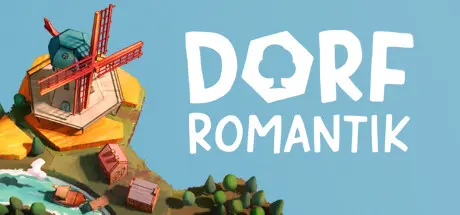
April 21Apr 21 Dorfromantik Game DetailsRelease Name: DorfromantikGame Version: Build 20494716Release Date: 28 Apr, 2022Publisher: Toukana InteractiveDeveloper: Toukana InteractiveBased On: CSF & GoldbergDorfromantik Direct Download - Game OverviewDorfromantik is a relaxing building strategy and puzzle game in which you place tiles to create ever-growing, idyllic village landscapes. With Dorfromantik, you can immerse yourself in a quiet, peaceful world at any time and take a break from everyday life. At the same time, Dorfromantik offers a challenge for those who are looking for one: To beat the highscore, you need to carefully plan and strategically place your tiles.In Dorfromantik you start with a stack of procedurally generated tiles. One after the other, you draw the top tile of the stack, place it on one available slot and rotate for the best fit. Thereby groups and combinations of landscapes are formed, such as forests, villages or water bodies, and you are rewarded with points depending on how well the tile fits.On some tiles you will also encounter special objects that give you a quest: For example, the windmill wants to border 6 grain fields, the locomotive wants to be connected to 10 tracks or the deer wants to inhabit a forest with at least 50 trees. Fulfill these quests to get more tiles to continue the expansion of your landscape. The game ends when the tile stack is used up.As you expand the landscape, you can advance into new, colorful biomes and discover pre-placed game objects that give you long-term tasks. Through these tasks you can unlock new tiles, new biomes and new quests.Dorfromantik Screenshots Dorfromantik TrailerDorfromantik System Requirements Minimum RequirementsRecommended Requirements OSWindows 7Windows 10 Processor2 GHz Dual Core (Intel / AMD)2.5 GHz Dual Core (Intel / AMD) Memory3 GB RAM4 GB RAM GraphicsNvidia GT550M | AMD Radeon R7/HD 5650 | Intel HD 520Nvidia GT740M | AMD Radeon R8 | Intel HD 630 DirectX-- Storage650 MB available space650 MB available space How to Install DorfromantikNo Installation Needed: The game is pre-installed. Just download and extract.Extract: Right-click the .zip or .rar file and select "Extract Here" or "Extract to folder".Run: Find Dorfromantik.exe inside the folder and run it.Game Data & SettingsChange Language: Edit the file located at steam_settings/Configs.user.iniSave Data Location: %USERPROFILE%/AppData/LocalLow/Toukana Interactive/DorfromantikImportant NotesTo support the Game Developer, Get It On Steam.🔥DOWNLOAD AREA🔥🔹316 MB🔹Select the server you want to download with ZeiLink.Download





Create an account or sign in to comment