



Skip to content
View in the app

A better way to browse. Learn more.

ZeiGames

A full-screen app on your home screen with push notifications, badges and more.

To install this app on iOS and iPadOS
  1. Tap the Share icon in Safari
  2. Scroll the menu and tap Add to Home Screen.
  3. Tap Add in the top-right corner.
To install this app on Android
  1. Tap the 3-dot menu (โ‹ฎ) in the top-right corner of the browser.
  2. Tap Add to Home screen or Install app.
  3. Confirm by tapping Install.

NoSlack Pets: Lo-Fi Paws Free Download (v1.0.43 + Online)
Featured Replies

header.webp

Game Details

Release Name:ย NoSlack Pets: Lo-Fi Paws

Game Version:ย v1.0.43 | Build 22756925

Release Date: 3 Nov, 2025

Publisher: Lynkpin Game

Developer: Lynkpin Game

Based On:ย CSF & Goldberg

NoSlack Pets: Lo-Fi Paws Direct Download - Game Review

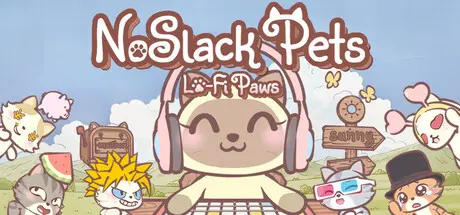
NoSlack Pets: Lo-Fi Paws is a cozy desktop cat companion that quietly keeps you company while you work, study, or relax. Miino sits by the edge of your screen, types when you type, and comes with a built-in Pomodoro timer, lo-fi music, white noise, and an Online Study Room so you can focus together with other players. Every 30 minutes you can open a Gift Box for new headgear and decorations (350+ headgear, 600+ decorations) to personalize Miino and their tiny home, hop into Pool Party or light mini-games for short breaks, and tuck tools into the Cat Bus to keep your desktop tidy.

โ€ข Gift Box โ†’ Headgear โ†’ Dress the cat โ†’ Loop

Stay focused / idle for 30 minutes to earn a Gift Box that opens into random Headgear (can be fused / recorded in your Collection / traded on the Steam Market).

โ€ข Piggy bank โ†’ Paw Coin โ†’ Decorate your home โ†’ Loop

The Piggy bank accrues Paw Coin and XP every minute and you can claim anytime to purchase house and desktopโ€‘cat decorations.

โ€ข Deep customization

600+ cat / room / desktopโ€‘device decorations + 350+ Headgear. Place freely to craft your own cat and soothing space.


Game Screenshots

screenshot screenshot screenshot screenshot


Game Trailer


System Requirements

Minimum Requirements

Recommended Requirements

OS

Windows 7 or newer

Windows 7 or newer

Processor

2.5Ghz or better

2.5Ghz or better

Memory

2 GB RAM

4 GB RAM

Graphics

Nvidia GeForce GTX 750

Nvidia GeForce GTX 950

DirectX

-

-

Storage

1 GB available space

1 GB available space


Installation Guide

  1. No Installation Needed: The game is pre-installed. Just download and extract.

  2. Extract: Right-click the .zip or .rar file and select "Extract Here" or "Extract to folder".

  3. Run: Find Launcher.exe inside the folder and run it.

Multiplayer & Online (Optional)

  • Play Online: Download the Online Fix file and apply it to the game folder.

Game Data & Settings

  • Change Language: Edit the file located at steam_settings/Configs.user.ini

  • Save Data Location: %USERPROFILE%/AppData/LocalLow/lynkpin/NoSlackPets/SaveDir

Important Notes

๐Ÿ”ฅDOWNLOAD AREA๐Ÿ”ฅ

๐Ÿ”น707 MB๐Ÿ”น

Select the server you want to download with ZeiLink.

Download

Online Fix - (RAR pass: rexagames.com)

  • Views 511
  • Created
  • Last Reply

Posted Images

Create an account or sign in to comment

Recently Browsing 0

  • No registered users viewing this page.

Account

Navigation

Search

Search

๐Ÿ”Ž Search Tip
For exact results, search using "game name" .
Without quotes, results may include unrelated titles.

Configure browser push notifications

Chrome (Android)
  1. Tap the lock icon next to the address bar.
  2. Tap Permissions โ†’ Notifications.
  3. Adjust your preference.
Chrome (Desktop)
  1. Click the padlock icon in the address bar.
  2. Select Site settings.
  3. Find Notifications and adjust your preference.
