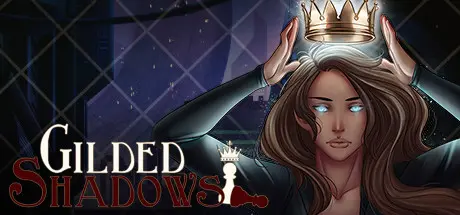
April 21Apr 21 Gilded Shadows Game DetailsRelease Name: Gilded ShadowsGame Version: Build 12246824Release Date: 12 May, 2022Publisher: Steamberry StudioDeveloper: Steamberry StudioBased On: CSF & GoldbergGilded Shadows Direct Download - Game OverviewGilded Shadows is a GxB visual novel that explores a whimsical, yet dangerous world which blends the solarpunk and cyberpunk aesthetics into a unique adventure. The player can explore different factions and story lines based on their choices in the common route. The game has 30-40 hours of content where your personality traits lock or unlock various interactions and responses to situations. As you follow the MC on her journey, pursue one of six love interests in a stand-alone story unique to that route.Gilded Shadows Screenshots Gilded Shadows TrailerGilded Shadows System Requirements Minimum RequirementsRecommended Requirements OSWindows XP or better- Processor1.2 GHz Pentium 4 or better- Memory512 MB RAM- GraphicsIntegrated Graphics (onboard sufficient)- DirectX-- Storage1 GB available space- How to Install Gilded ShadowsNo Installation Needed: The game is pre-installed. Just download and extract.Extract: Right-click the .zip or .rar file and select "Extract Here" or "Extract to folder".Run: Find GildedShadows.exe inside the folder and run it.Game Data & SettingsChange Language: Edit the file located at steam_settings/Configs.user.iniSave Data Location: /game/savesImportant NotesTo support the Game Developer, Get It On Steam.🔥DOWNLOAD AREA🔥🔹1.54 GB🔹Select the server you want to download with ZeiLink.Download





Create an account or sign in to comment