



Skip to content
View in the app

A better way to browse. Learn more.

ZeiGames

A full-screen app on your home screen with push notifications, badges and more.

To install this app on iOS and iPadOS
  1. Tap the Share icon in Safari
  2. Scroll the menu and tap Add to Home Screen.
  3. Tap Add in the top-right corner.
To install this app on Android
  1. Tap the 3-dot menu (โ‹ฎ) in the top-right corner of the browser.
  2. Tap Add to Home screen or Install app.
  3. Confirm by tapping Install.

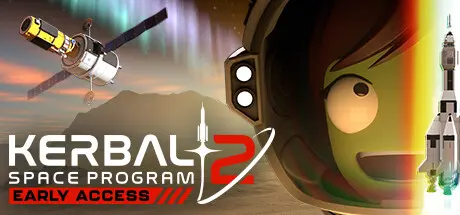
Kerbal Space Program 2 Free Download (v0.2.2.0.32913)
Featured Replies

header.webp

Game Details

Release Name:ย Kerbal Space Program 2

Game Version:ย v0.2.2.0.32913 | Build 14669105

Release Date: 24 Feb, 2023

Publisher: Private Division

Developer: Intercept Games

Based On:ย CSF & Goldberg

Kerbal Space Program 2 Direct Download - Game Review

The original Kerbal Space Program is one of the most beloved games of all time and, years after its release, it's bigger than ever before. Its sequel, Kerbal Space Program 2, has been fully redesigned from the ground up to meet the demands of modern and next-generation space exploration, all while maintaining the monumental foundations of the first game. Build a space program, construct powerful spacecraft, and navigate expansive celestial bodies as you explore cosmic mysteries.

As the game updates progress, players will gain access to a whole new set of next generation tools and technology including new engines, parts, fuel, and much more. This new tech will not just create novel puzzles for players to solve, but will also enable new feats of space exploration within and beyond the original Kerbolar System.

Brand new to Kerbal Space Program 2 are colonies. Colonies not only pose their own physics challenges, but also require resource gathering to build structures, space stations, habitations, and unique fuel types. Eventually, these colonies become advanced enough for vehicle construction, propelling deep space exploration and beyond.

Next-gen tech, colonies, and systematic resource gathering all lead to a whole new level of exploration: interstellar travel. In Kerbal Space Program 2, interstellar technologies pave the way to a host of new star systems and celestial bodies, each comprising novel challenges and harboring secret treasures. Among them: Charr, a heat-blasted world of iron; Ovin, a ringed super-Earth with relentless gravity; Rask and Rusk, a binary pair locked in a dance of death; and many more to reward exploration.


Game Screenshots

screenshot screenshot screenshot screenshot


Game Trailer


System Requirements

Minimum Requirements

Recommended Requirements

OS

Windows 10 64-bit

Windows 10 64-bit

Processor

AMD Athlon X4 845 @3.5 GHz or Intel Core i5 6400 @ 2.7 GHz

Intel i5-11500 @ 2.7GHz or AMD Ryzen 5 3600 6-Core @ 3.6GHz

Memory

12 GB RAM

16 GB RAM

Graphics

nVidia RTX 2060 w/ 6GB VRAM, nVidia GTX 1070 Ti w/8GB VRAM, AMD Radeon 5600XT w/ 6GB VRAM

nVidia GeForce RTX 3080 or AMD Radeon RX 6800 XT

DirectX

Version 11

Version 11

Storage

45 GB available space

60 GB available space


Installation Guide

  1. No Installation Needed: The game is pre-installed. Just download and extract.

  2. Extract: Right-click the .zip or .rar file and select "Extract Here" or "Extract to folder".

  3. Run: Find KSP2_x64.exe inside the folder and run it.

Game Data & Settings

  • Change Language: Edit the file located at steam_settings/Configs.user.ini

Important Notes

๐Ÿ”ฅDOWNLOAD AREA๐Ÿ”ฅ

๐Ÿ”น16.16 GB๐Ÿ”น

Select the server you want to download with ZeiLink.

Download

  • Views 827
  • Created
  • Last Reply

Posted Images

Create an account or sign in to comment

Recently Browsing 0

  • No registered users viewing this page.

Account

Navigation

Search

Search

๐Ÿ”Ž Search Tip
For exact results, search using "game name" .
Without quotes, results may include unrelated titles.

Configure browser push notifications

Chrome (Android)
  1. Tap the lock icon next to the address bar.
  2. Tap Permissions โ†’ Notifications.
  3. Adjust your preference.
Chrome (Desktop)
  1. Click the padlock icon in the address bar.
  2. Select Site settings.
  3. Find Notifications and adjust your preference.
