



Skip to content
View in the app

A better way to browse. Learn more.

ZeiGames

A full-screen app on your home screen with push notifications, badges and more.

To install this app on iOS and iPadOS
  1. Tap the Share icon in Safari
  2. Scroll the menu and tap Add to Home Screen.
  3. Tap Add in the top-right corner.
To install this app on Android
  1. Tap the 3-dot menu (โ‹ฎ) in the top-right corner of the browser.
  2. Tap Add to Home screen or Install app.
  3. Confirm by tapping Install.

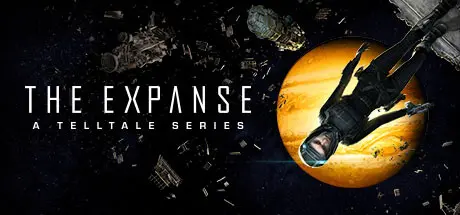
The Expanse: A Telltale Series Free Download (Build 12659259 + Archangel DLC)
Featured Replies

header.webp

Game Details

Release Name:ย The Expanse: A Telltale Series

Game Version:ย Build 12659259

Release Date: 20 Nov, 2023

Publisher: Telltale

Developer: Deck Nine

Based On:ย CSF & Goldberg

The Expanse: A Telltale Series Direct Download - Game Review

Experience the exciting universe of The Expanse like never before in Telltaleโ€™s latest adventure, The Expanse: A Telltale Series. Take on the role of Camina Drummer and explore the dangerous and uncharted edges of the Belt aboard the Artemis. From scavenging wrecked ships in a zero-g environment, to surviving a mutiny, to combating fearsome pirates, you make the difficult choices and reveal Camina Drummerโ€™s resolve in this latest Telltale adventure.

A TELLTALE STORY LIKE NO OTHER

Immerse yourself in the role of Camina Drummer, the Executive Officer aboard the Artemis, a scavenging ship hunting for a big score in the outer regions of the Belt. You must corral a crew rife with tense relationships and powerful personalities, and make tough decisions that will decide everyoneโ€™s fate.

EXPLORE THE BELT IN ZERO-G

Scour shipwrecks, use mag boots to walk on walls and ceilings, and utilize zero-g thrusters to float through the void. As you fly through sections of ships and the open expanse of space, interact with objects in the world and converse with members of the crew in the largest and most immersive exploration of any Telltale game to date.

DIFFICULT CHOICES, GRAVE CONSEQUENCES

Contend with the unforgiving brutality of space, the politics of a corrupt solar system, the animosities of your crew, and Drummerโ€™s own conflicting responsibilities to the people she cares about and the Belt she has sworn to protect. There is no right or wrong path - only your choices and the consequences they unleash.

INCLUDES ALL 5 EPISODES

Episode 1: Archer's Paradox
Episode 2: Hunting Grounds
Episode 3: First Ones
Episode 4: Impossible Objects
Episode 5: Europa's Folly


Game Screenshots

screenshot screenshot screenshot screenshot


Game Trailer


System Requirements

Minimum Requirements

Recommended Requirements

OS

Windows 10 64-bit Operating System (32-bit operating systems not supported)

Windows 10 64-bit Operating System

Processor

AMD Phenom II X4 965, 3.40 GHz / Intel Core i5-2300, 2.80 GHz

AMD FX-8350, 4.00 GHz / Intel Core i5-3470, 3.20 GHz

Memory

6 GB RAM

8 GB RAM

Graphics

Radeon HD 7790, 2 GB / GeForce GTX 750Ti, 2 GB

Radeon RX 590, 8 GB / GeForce GTX 1060, 6 GB

DirectX

Version 11

Version 11

Storage

18 GB available space

20 GB available space


Installation Guide

  1. No Installation Needed: The game is pre-installed. Just download and extract.

  2. Extract: Right-click the .zip or .rar file and select "Extract Here" or "Extract to folder".

  3. Run: Find Artemis.exe inside the folder and run it.

Game Data & Settings

  • Change Language: Edit the file located at steam_settings/Configs.user.ini

  • Save Data Location: %USERPROFILE%/My Documents/My Games/Telltale/Expanse

Important Notes

DLC List

Added DLCs

The Expanse: A Telltale Series - Archangel

๐Ÿ”ฅDOWNLOAD AREA๐Ÿ”ฅ

๐Ÿ”น9.95 GB๐Ÿ”น

Select the server you want to download with ZeiLink.

Download

  • Views 537
  • Created
  • Last Reply

Posted Images

Create an account or sign in to comment

Recently Browsing 0

  • No registered users viewing this page.

Account

Navigation

Search

Search

๐Ÿ”Ž Search Tip
For exact results, search using "game name" .
Without quotes, results may include unrelated titles.

Configure browser push notifications

Chrome (Android)
  1. Tap the lock icon next to the address bar.
  2. Tap Permissions โ†’ Notifications.
  3. Adjust your preference.
Chrome (Desktop)
  1. Click the padlock icon in the address bar.
  2. Select Site settings.
  3. Find Notifications and adjust your preference.
