



Theme
Language

Layout
Skip to content
View in the app

A better way to browse. Learn more.

ZeiGames

A full-screen app on your home screen with push notifications, badges and more.

To install this app on iOS and iPadOS
  1. Tap the Share icon in Safari
  2. Scroll the menu and tap Add to Home Screen.
  3. Tap Add in the top-right corner.
To install this app on Android
  1. Tap the 3-dot menu (⋮) in the top-right corner of the browser.
  2. Tap Add to Home screen or Install app.
  3. Confirm by tapping Install.

F1 Manager 2023 Free Download (v1.10.0.199864 + Deluxe Edition)
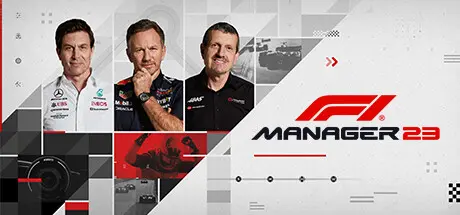
F1 Manager 2023

Featured Replies

F1 Manager 2023 cover art

F1 Manager 2023 Game Details

Release Name: F1 Manager 2023

Game Version: v1.10.0.199864 | Build 16843164

Release Date: 31 Jul, 2023

Publisher: Frontier Developments

Developer: Frontier Developments

Based On: CSF & DenuvOwO

F1® Manager 2023 Direct Download - Game Review

Relive thrilling races and key moments from the 2023 FIA Formula One World Championship in Race Replay, a brand-new mode which brings you even closer to the excitement and drama of F1®

Utilising real world F1® data taken from the live races, Starting Grid replicates the race conditions and driver starting positions of every race from the 2023 season, and Race Moments allow you to take control of a specific team during a pivotal moment of a real race from the 2023 season. 

Whether it’s taking control of Aston Martin at Monaco and trying to get Alonso his first win of the season or trying to keep McLaren in the points after a chaotic Australian GP, Race Moments challenges you to make those defining split-second decisions in the moments that matter.  

Races are more dramatic and dynamic than ever with refinements to racing lines, overtakes and incidents. Improved driver AI, rival team decision making, and an enhanced tyre temperature simulation will pose a greater challenge across fully-realised F1® races. 

Get closer to the racing action than ever before with all-new visor camera, jump on board with any of the 20 drivers on track and experience the thrill of a Formula 1® race from their point of view.  


F1 Manager 2023 Screenshots

F1 Manager 2023 screenshot 1 F1 Manager 2023 screenshot 2 F1 Manager 2023 screenshot 3 F1 Manager 2023 screenshot 4


F1 Manager 2023 Trailer


F1 Manager 2023 System Requirements

Minimum Requirements

Recommended Requirements

OS

Windows 10 64-bit

Windows 10, 11 64-bit

Processor

Intel Core i5-4590 or AMD FX-8370

Intel Core i7-7700 or AMD Ryzen 7 2700

Memory

8 GB RAM

16 GB RAM

Graphics

Nvidia GeForce GTX 960 or AMD R9 280x (3GB VRAM)

GeForce GTX 1080 or Radeon RX 580 (4GB VRAM)

DirectX

-

-

Storage

30 GB available space

30 GB available space


How to Install F1 Manager 2023

  1. Copy the contents of the DenuvOwO folder to the game folder.

  2. Hypervisor releases require specific system features to be disabled.

  3. To prepare your system, run VBS.cmd and follow its instructions.

  4. Launch the game from its executable after proceeding with VBS.cmd.

  5. Once you are done playing, it is recommended to revert the changes.

Game Data & Settings

  • Change Language: Edit the file located at steam_settings/Configs.user.ini

  • Save Data Location: %USERPROFILE%/AppData/Local/F1Manager23/Saved/SaveGames

Important Notes

DLC List

Added DLCs

Pre-order Content

Deluxe (F1® Manager 2023: Deluxe Upgrade Pack)

🔥DOWNLOAD AREA🔥

🔹23.71 GB🔹

Select the server you want to download with ZeiLink.

Download

  • Views 443
  • Created
  • Last Reply

Posted Images

Create an account or sign in to comment

Recently Browsing 0

  • No registered users viewing this page.

Account

Navigation

Search

Search

🔎 Search Tip
For exact results, search using "game name" .
Without quotes, results may include unrelated titles.

Configure browser push notifications

Chrome (Android)
  1. Tap the lock icon next to the address bar.
  2. Tap Permissions → Notifications.
  3. Adjust your preference.
Chrome (Desktop)
  1. Click the padlock icon in the address bar.
  2. Select Site settings.
  3. Find Notifications and adjust your preference.
